 Creating a Message Log Action
The message log action is used to write messages into an application log. Messages are created from the message class definition in the backend or by entering free text with parameters. The parameters of the messages are filled directly or derived either from context data objects or a nested expression at runtime.
Procedure
In the Object Creation dialog that appears, enter name, short text, and description of the action.
Choose Create & Navigate to Object.
You are directly navigated to the action object that you created.
 Note
NoteIf you choose Create, the action object appears under the Assigned Objects tab.
End of the note.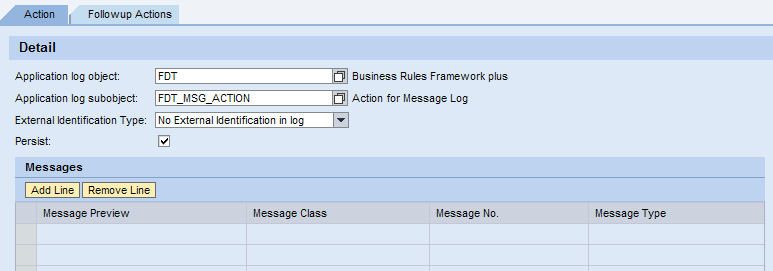
Under the Detail section, enter the application log object and subobject.
The Application log object field and the Application log subobject field indicate the location in which the object and the subobject reside.
NoteBy default, application log object and application sub-object are displayed.
You can also define your own application log object and sub-object, and use them to log the message.
End of the note.To save the messages in the database, select the Persist checkbox.
Under the Messages section, choose Add Line.
A new line appears.
Under Message Definition, add class and number. Choose
 (Advanced) in the Class and Number field.
Choose the type of action message from the Type field.
The different types of action messages are Information, Abort, Error, Status, Warning and Exit.
Save the action.