
 Downloading Plug-Ins

You can download a plug-in JAR file that was deployed to the Support Platform.
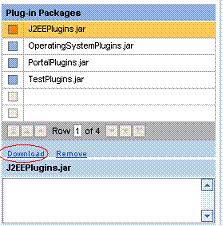
Procedure
...
...
1. Select the Administration work area by clicking Administration at the top of the Support Platform user interface.
2. In the Plug-In pane, select a plug-in JAR file.
3. Click Download. The JAR file is downloaded.
Generally, a dialog is displayed asking you whether you want to save or view the JAR file.
4. Click Save to save the file.