
 Integration from the User’s
Viewpoint
Integration from the User’s
Viewpoint

Use
The following section explains integration from the portal user’s viewpoint.
Features
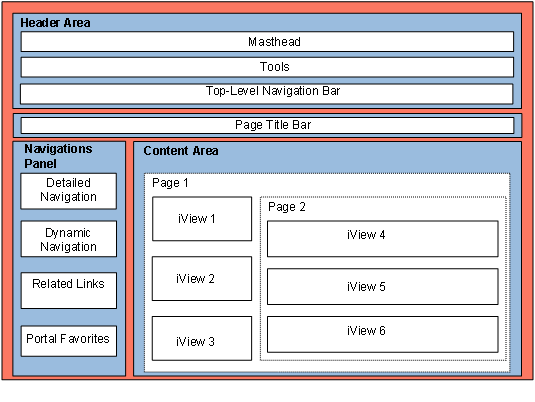
The portal desktop refers to the entire portal screen, including content and layout. As shown in the following graphic, the portal desktop is divided into three main areas: header area, navigation panel and content area.
Portal Desktop
For more
information, see
 Portal
Interface.
Portal
Interface.
The integration of BI content in the portal concentrates especially on the content area. For more information, see Display of Content from BI in the Portal and Calling BI Content in the Portal.
Furthermore, the navigation panel also offers a number of options for the integration of BI Content. For more information, see BI Content in the Navigation Panel.