 Sorting: Example 1


Sorting: Example 1
Use
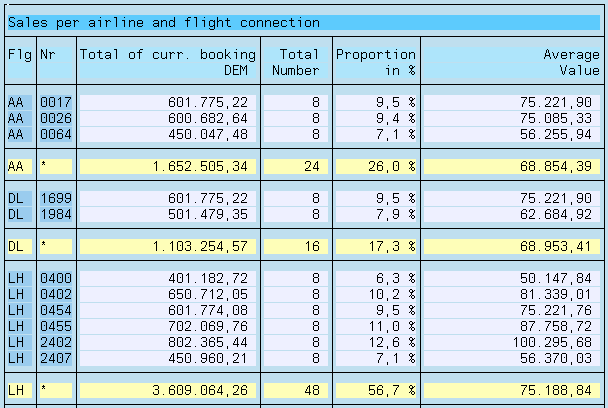
The following example defines a statistic showing sales figures for each airline carrier and flight connection. It outputs a sub-total for each airline carrier.
Prerequisites
Procedure
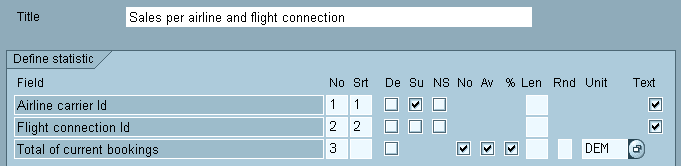
 function to test the statistic.
Result
The following list is displayed:
Explanation
Subtotal
By activating the Subtotal checkbox (ST) on the Statistic Structure screen, you can display the subtotals row as well as displaying the total. When switching a sort string a sub-total line is created for this sort string respectively. The following three conditions have to be met:
New Page (only for ABAP lists)
You can set the option New page (np) with sort fields. A page break is then inserted after each change of sort field. The same restrictions apply to the New page option that apply to the option Subtotal.