 Examples on How to Arrange the Display: Example 1


Examples on How to Arrange the Display: Example 1
The purpose of the example is to demonstrate how to display the Flight Connections query as shown in the diagram below.
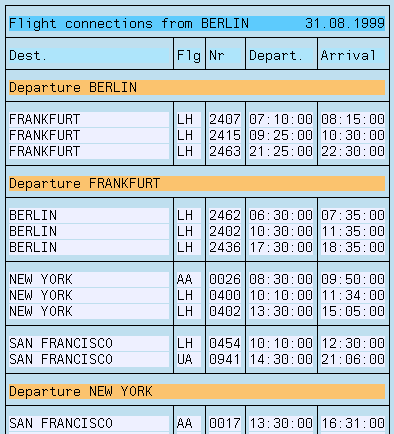
The sort criterion From city now appears at the beginning of a control level instead of on a row.
Procedure
Proceed as follows to display the data in the format shown above:

The text appears at the beginning of the control level (control level text).
