 Related Links
Links that access information which is topically related to the content currently displayed in the portal content area.
Integration
Working in the Related Links Editor of the Portal Content Studio, the content manager can assign iViews and pages as related links to other iViews or portal pages. At runtime, the related links of all the visible iViews and pages in the content area, are accumulated and inserted into the Related Links iView of the navigation panel. The end user can click these links to pursue a specific topic.
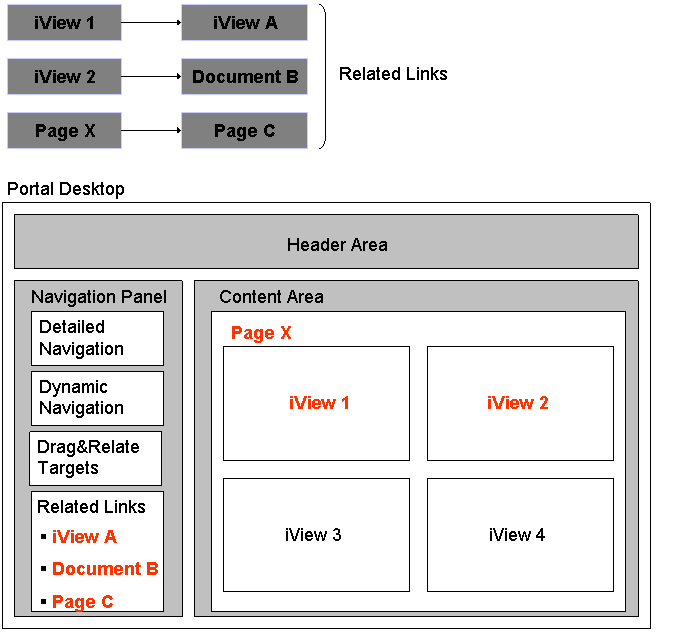
Related links are seamlessly merged with portal navigation
For information on using the editor, see Defining Related Links.