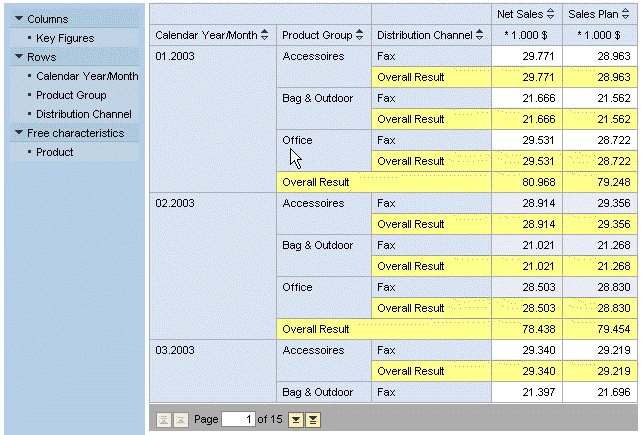
Example: Moving a Characteristic in the Rows
Using Drag and Drop
Example: Moving a Characteristic in the Rows
Using Drag and Drop

Use
You want to move a characteristic in the rows to a different position – in this case, to between two other characteristics.
Procedure
In the analysis grid, use drag and drop to drag the characteristic Product Group to between Calendar Year/Month and Distribution Channel.


You can also move the characteristic Product Group in the navigation pane by using drag and drop to move the characteristic to between Calendar Year/Month and Distribution Channel in the rows.
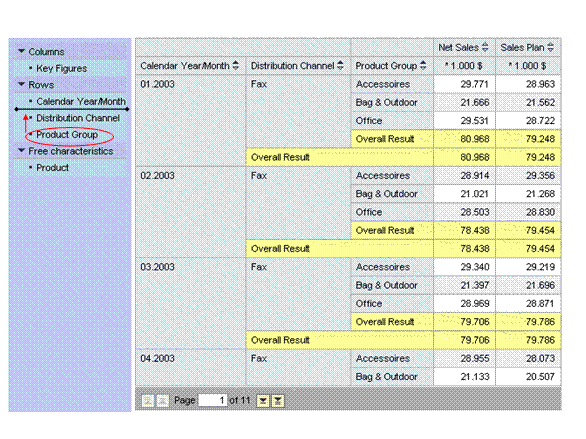
Result
The analysis grid is updated accordingly: Product Group is in the drilldown and is displayed along with its data in the rows between Calendar Year/Month and Distribution Channel.