 Enterprise Services
You can use enterprise services in SAP Supplier Lifecycle Management to support asynchronous XML-based communication between the buy side and the sell side for the following:
Supplier registration
Supplier data maintenance
Supplier replication to the sell side
Replication of supplier changes to the sell side (triggered on the buy side)
Replication of supplier changes to the buy side (triggered on the sell side)
Purchasing category replication
Certificate type replication
Standard product classification replication
Supplier qualification
Task processing in activity management
SAP Supplier Lifecycle Management supports both point-to-point communication and communication through SAP NetWeaver Process Integration (SAP NetWeaver PI). The process steps described below exclusively focus on communication based on the Service-Oriented Architecture (SOA) and do not provide a full picture of the business processes in SAP Supplier Lifecycle Management.
Supplier Registration
A supplier submits a registration request on the sell side. An XML message is sent to the buy side, where an approval workflow is started. The registration request can be either approved or rejected by the purchaser.
If the purchaser approves the request, a potential supplier is created on the buy side and is replicated to the sell side. An e-mail with the logon data is sent to the supplier.
If the purchaser rejects the request, an e-mail is sent to the supplier to inform him or her that the registration request has been rejected.

Supplier Data Maintenance
Supplier Replication to the Sell Side
The purchaser distributes a new supplier to the sell side. An e-mail with the logon data is sent to the supplier and a confirmation message is sent to the buy side.
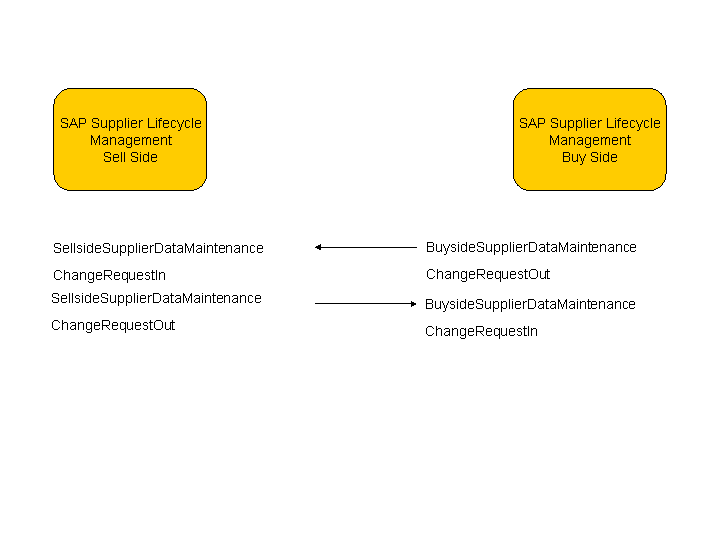
Replication of Supplier Changes to the Sell Side (Triggered on the Buy Side)
The purchaser changes supplier data on the buy side. An XML message is sent to the sell side and the supplier data is updated, after which a confirmation message is sent to the buy side.

Replication of Supplier Changes to the Buy Side (Triggered on the Sell Side)
The supplier changes data on the sell side. An XML message is sent to the buy side, where an approval workflow is started. The purchaser receives a work item and can either approve or reject the changes.
If the purchaser responsible approves the changes, the supplier data is updated on the database and an XML message is sent to the sell side.
If the purchaser rejects the changes, an XML message is sent to the sell side and as a result, the changes on the sell side are discarded.

Purchasing Category Replication
The purchaser saves purchasing categories on the buy side. New and changed data that is relevant for the sell side is subsequently replicated.

Certificate Type Replication
The purchaser triggers the replication of certificate types by saving them on the buy side. The certificate types are replicated to the sell side.

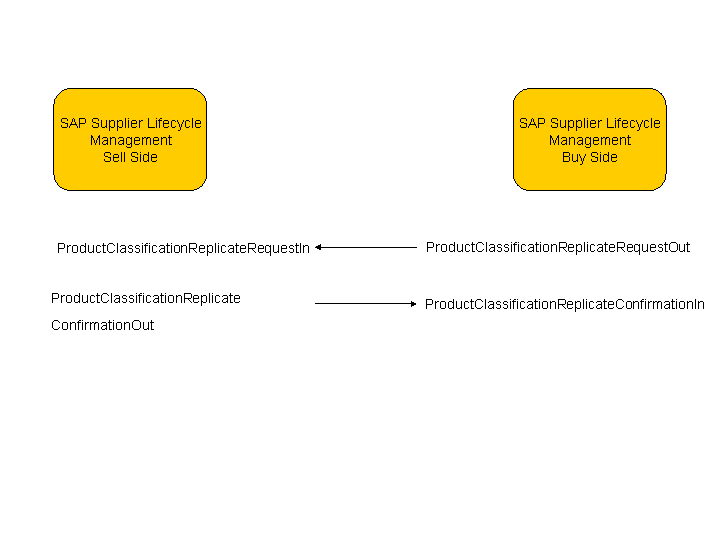
Standard Product Classification Replication
The purchaser triggers the replication of standard product classifications on the buy side, the standard product classifications are replicated to the sell side, and a confirmation is sent to the buy side.
Supplier Qualification
A qualification request is created on the buy side, replicated to the sell side, and saved there. On the sell side, a qualification response is created. An e-mail is sent to the supplier, asking him to fill out the qualification response. The supplier fills out the qualification response and submits it. The qualification response is replicated to the buy side.
After receiving a qualification response from a supplier, a category manager can send the response back to the supplier and request clarification, if necessary. The supplier provides the required information and submits the qualification response again.

Task Processing in Activity Management
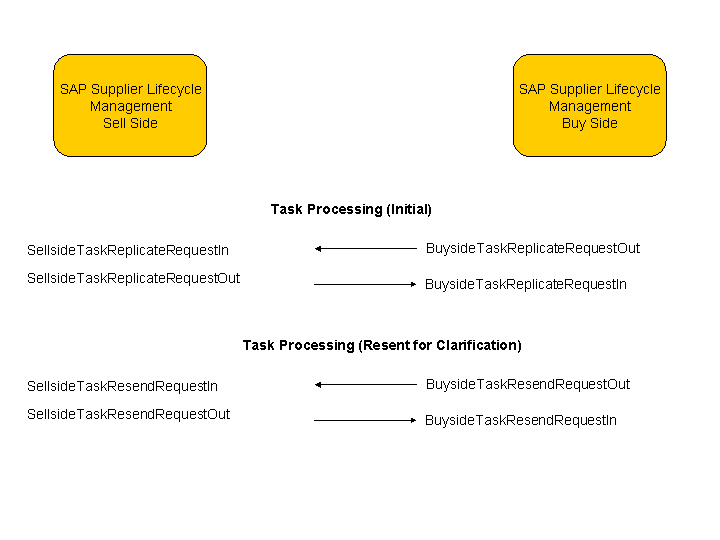
A task is created on the buy side, replicated to the sell side, and saved there. An e-mail is sent to the supplier contact, asking him to process the task. The supplier contact edits the task, adds attachments, if required, and submits it. The task is replicated to the buy side.
After receiving a task from a supplier, an activity manager can send the task back to the supplier and request clarification, if necessary. The supplier contact provides the required information and submits the task again.
Prerequisites
You have activated SOA for the buy-side and sell-side systems in Customizing for SAP Supplier Lifecycle Management under:

Buy Side

Basic Settings for SAP Supplier Lifecycle Management
Cross-System Communication
Activate SOA Communication on the Buy Side

-
Sell Side
Basic Settings for SAP Supplier Lifecycle Management
Cross-System Communication
Activate SOA Communication on the Sell Side
More Information
For more information about configuring enterprise services, see SAP Help Portal at http://help.sap.com/slc
<release>
Configuration and Deployment Information
Configuration Guide
Basic Settings for SAP Supplier Lifecycle Management
Point-to-Point Enablement
or SAP NetWeaver Process Integration
.
The Application Operations Guide for SAP Supplier Lifecycle Management contains detailed information about the error handling of enterprise services. For more information, see http://service.sap.com/slc-inst.