Browser Help Shortcuts 
After calling a Web Dynpro ABAP application in the browser, you can use the key combination Shift+Ctrl+Alt+[abc...xyz] to access various help functions.
Entering Shift+Ctrl+Alt+H displays a popup with all available key combinations.
 (Browser Help Popup in Internet Explorer)
Shift+Ctrl+Alt+A
Displays a small window with the Accessibility text.
You can also activate this window by using the URL parameter sap-accessibility-debug=X.
 Example
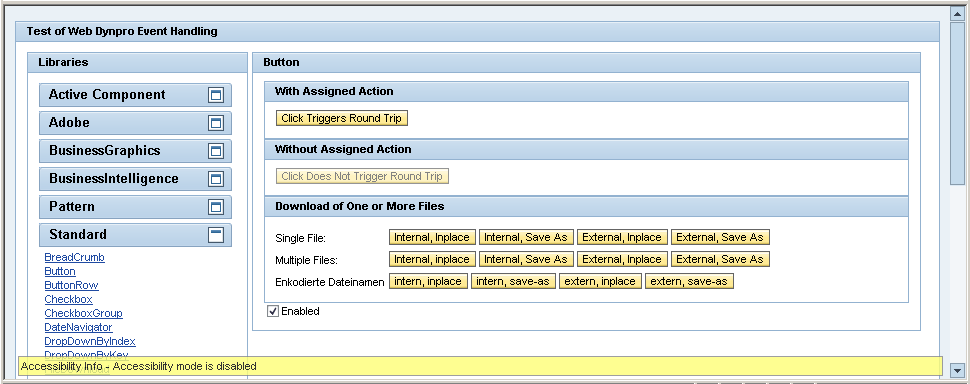 (WDR_TEST_EVENTS and Shift+Ctrl+Alt+A)
Shift+Ctrl+Alt+O
Displays the nesting of HTML elements:
Blue |
<DIV> |
Red |
<TABLE> |
Green |
<SPAN> |
Example
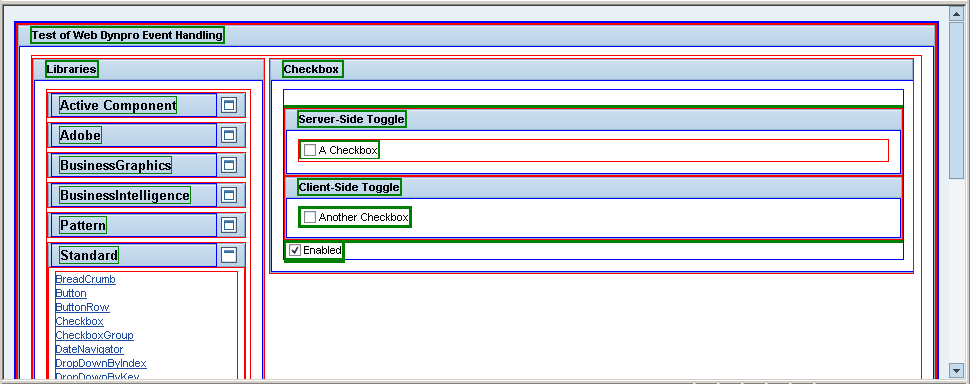 (WDR_TEST_EVENTS and Shift+Ctrl+Alt+O)
Shift+Ctrl+Alt+D
Displays a DOM analysis popup
Example
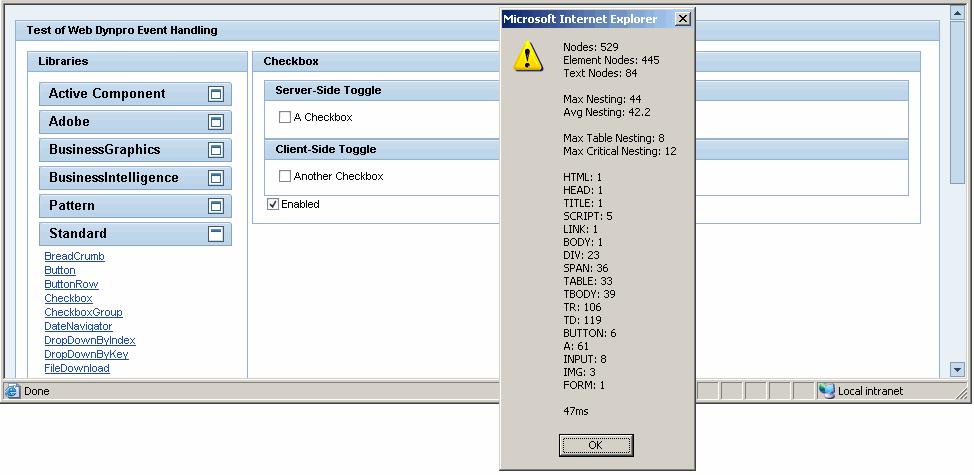 (WDR_TEST_EVENTS and Shift+Ctrl+Alt+D)
Shift+Ctrl+Alt+S
 Caution
This key combination is only relevant for SAP internal development.
Shift+Ctrl+Alt+P
Displays the Performance Monitor
Example
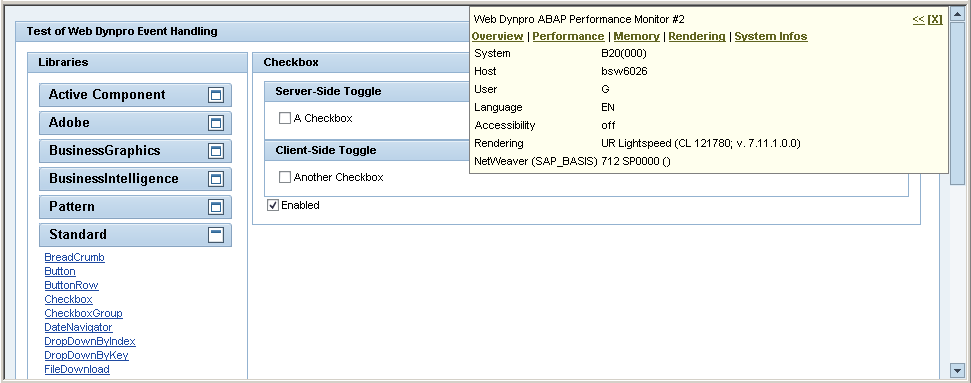 (WDR_TEST_EVENTS and Shift+Ctrl+Alt+P)
Shift+Ctrl+Alt+C
Displays the Web Dynpro Trace Tool
Example
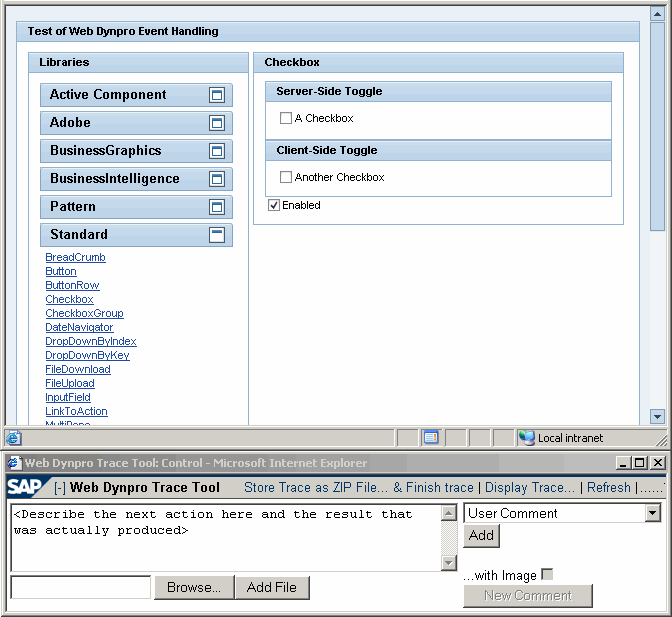 (WDR_TEST_EVENTS and Shift+Ctrl+Alt+C)