 System Landscape
The configuration and generation of revenue accounting item classes are based on a three-level system landscape as can be seen in the following figure.
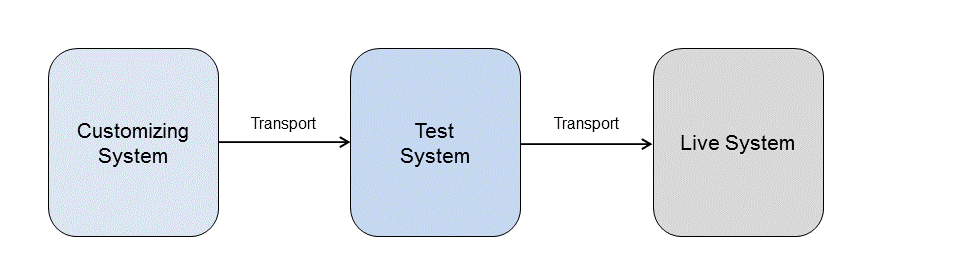
System landscape structure
You configure your revenue accounting item classes in your Customizing system. The system saves the configuration as Customizing data. You can transport this Customizing data into a test system as soon as you change the status of the configuration to Transportable. The transport connection is integrated in the transaction for the configuration of revenue accounting item classes in the standard system. The system ensures that only complete and consistent configurations are transported. Use transport object FARR_RAI_CONF for the transport.
Taking the transported Customizing data as a basis, you can generate the corresponding workbench objects (such as RFC function modules for the data transfer and database tables for data storage) for the classes in the test system. Then you can test the classes with test data.
Once you have successfully concluded your tests, you can transport the Customizing data to the production system to generate objects for the classes there.
 Caution
You can change the configuration of revenue accounting item classes. This gives you the option of regenerating workbench objects for classes in the test and production system.
However, as soon as you wish to use a class in the production system for production data, you should set the configuration status for the class to Released as Productive in the Customizing system. This status only permits compatible changes to the configuration of the class in the Customizing system. This means that you are allowed to insert a new field in the table for example, however, you are not allowed to delete fields. During the regeneration in the production system, this ensures that no production data is lost.