
 Menus
Menus 
Use
Menus are used to display command groups in various ways on the user interface.
Integration
You can select various predefined menus in the parameter Collection Action Style (rndCollectionActionStyle) in the configuration of a collection renderer or in the parameter Command Display (rndItemActionStyle) in the configuration of a resource renderer.
Features
The following menus are contained and configured in the standard delivery.
ID of Menu in the Configuration |
Assigned Entry in Parameter Collection Action Style or Command Display |
Description |
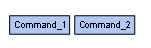
button_menu |
button |
The commands are displayed as a group of pushbuttons.
|
hover_menu |
hover |
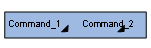
You display the commands by clicking on the popup menu symbol ( |
icon_menu |
icon |
The commands are displayed as symbols. |
menu_bar |
menu |
The commands are displayed in a menu bar.
|
menu_link |
link |
The commands are displayed as a group of function links.
|
small_button_menu |
small button |
As for button, but the commands are displayed with a smaller font.
|
toolbar_button_menu |
toolbar button |
The commands are displayed in a symbol bar.
|
 ).
).


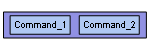

Note that for button, small button, and toolbar button, the command group to be depicted can only contain single commands. Further commands will not be displayed properly.
Each menu is based on a Java class. Predefined command groups are assigned to the various menus by default.
The following parameters are available for the configuration of a menu:
Parameters of Menus
Parameters |
Required |
Description |
Unique ID |
Yes |
Name of the menu. |
Description |
No |
Description of the menu. |
Default UI Command Group |
Yes |
Specifies the command group that is used by default for this menu if there is no entry in the parameter Commands for the Details Menu or Command Group in the collection and resource renderers used. |
Java Class |
Yes |
Specifies the Java class that implements the menu. |
Activities
The delivered menus are already configured in the standard configuration.
To create a menu or to modify the configuration of an existing menu based on a Java class, choose Content Management ® User Interface ® Menus.