Starting and Stopping SAP NetWeaver ABAP on Windows
Procedure
Proceed as follows to start and stop SAP NetWeaver ABAP on Microsoft Windows:
Starting
Start the Microsoft Management Console (MMC) that contains the SAP snap-in.
Select the system ID of your system and open the context menu by right-clicking.
Choose Start.
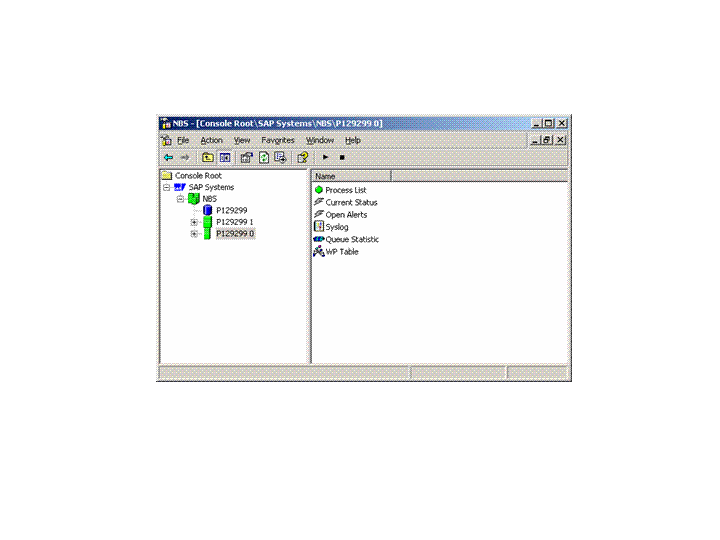
The database, all ABAP instances, and all additional processes of your system are started. If all instance icons appear green, the start was successful.
In the case of an add-in installation (ABAP + Java), the Java instances are automatically started together with the corresponding ABAP instances.
Stopping
Start the Microsoft Management Console (MMC) that contains the SAP snap-in.
Select the system ID of your system and open the context menu by right-clicking.
Choose Stop.
In the case of an add-in installation, the Java instances are automatically stopped together with the corresponding ABAP instances. If all instance icons appear gray, the stop was successful.
 Note
NoteThe database is not stopped automatically when you stop SAP NetWeaver. Use database-specific tools to stop the database. For more information, see database administration.
End of the note.
Example
The figure below shows the started instances of system NBS.