Using a Service Call
Prerequisites
A service call has been created in accordance with procedure described in Create Service Call.
Procedure
The use of a service call is in no way different from the use of a manually created method of the controller. In addition to the required context nodes and attributes, the procedure for automatic creation by the wizard simply creates a method in a cross-view controller. This method takes on the job of calling the service.
Simple Example
You wish to read data from a database table and display it in a view with the help of an existing function module. For this purpose, you have created a service call for the function module in your Web Dynpro component. The global controller that you have chosen or created during the creation procedure now contains the required context nodes and attributes as well as a method for calling the function module.
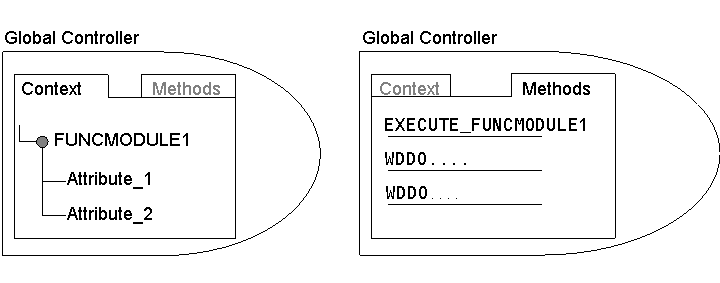
The method EXECUTE_FUNCMODULE1 has already been programmed automatically.
The function module is now available to the component. Now it is possible to choose a view in order to display the elements of the database table in the browser. Provided the global controller is not the component controller, a use of the global controller must be entered for the controller of the selected view. Afterwards, mapping of the node FUNCMODUL1 onto the node with the same name in a view controller context is generated.
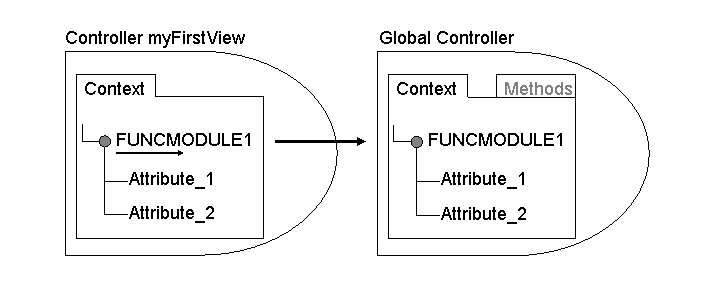
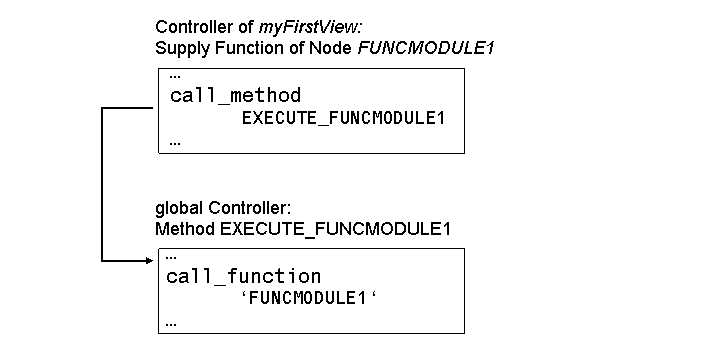
To fill the context node FUNCMODUL1 of the view controller context with the data from the database table, method EXECUTE_FUNCMODULE1 of the global controller is called in its supply function. To do this a supply function must be created and modified by calling method EXECUTE_FUNCMODULE1 (see also Web Dynpro Code Wizard, method call in the controller used).