
 Block Selection

Use
You can select a block of text by pressing ALT and selecting the text with the mouse.
Features
When you press ALT, the mouse pointer changes its shape into a cross. You can drag the cross over the text you want to select. Most of the common editing features like copy, paste, indent and so on are also available for block selection.
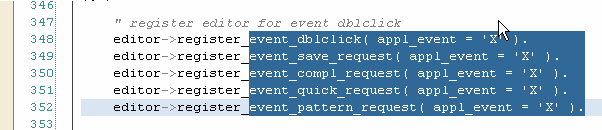
Block Selection