
 Find and Replace

Use
You use the Find and Replace function to search for a specific text in the editor and replace it with another text.
Features
The Find dialog has extended functionality added to the common features of the Front-End Editor:
● History dropdown box with a list of last typed items
● The Mark All function marks all occurrences of search text in the document with bookmarks
● Find/Replace within hidden text
● Regular expressions (as of next release)
● Incremental search.
You can open this dialog by choosing Find or Replace in the context menu of the source code.
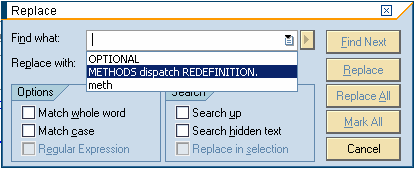
Find/Replace
See also: