 Creating Side Panels
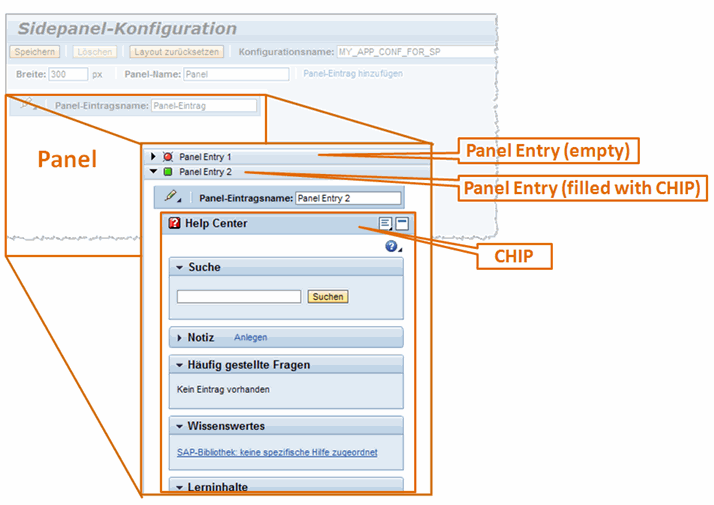
An adapted version of the Page Builder is provided for creating side panels: the Side Panel Editor. It displays the canvas in the side panel format as an accordion. You can add single AccordionItems as panel entries to the accordion.
Apart from this it has the same functions as the Page Builder.
Prerequisites
You have started the Side Panel Editor in the Page Builder, as described in Starting the Side Panel Editor.
Procedure
Editing the Side Panel
To add new entries, choose Add Panel Entry.
To change the name of the panel entry, enter the new name in the Panel Entry Name field, and confirm with ENTER.
To fill a panel entry with a CHIP, open the CHIP catalog using the link in the PageHeader, choose the CHIP you want, and drag it into the panel entry.
For more information, see Adding CHIPs
To remove a panel entry, choose
 (Edit Container Properties), and then Remove Panel Entry.