
 User Interface

This section gives you information on configuring the user interface.
For more Information:
Application Window
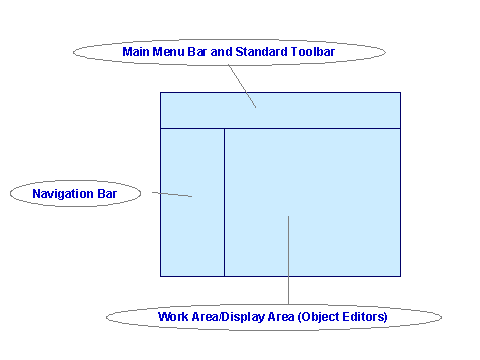
The application window comprises the following areas (see graphic):
● Main Menu Bar and Standard Toolbar
● Work Area
The object editors are displayed in the work area. These object editors include functions that relate specifically to the objects that are open.
More information: Object Editor
Access to Functions
You can call the functions in various ways:
● From the main menu bar or standard toolbar
● In the object editors
● In the navigation area from the context menu

For more information about accessibility, see: Notes on Accessibility.
Navigation
The Enterprise Services Builder has various navigation options.
For more Information:
You can create system messages for all other Enterprise Services Builder users.
More information: System Messages