
 Generation of ToolTips for Icons and
Symbols
Generation of ToolTips for Icons and
Symbols

Use
You are able to display icons in the ALV output. To do this, you use a special indicator that uniquely identify the graphic file in your system.
You are able to define a tooltip for each icon individually. To do this, you add a separator and the text of the tooltip to the indicator. The following graphic shows the structure of the indicator with a tooltip:
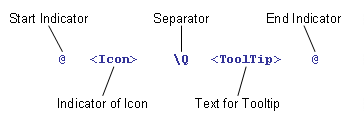

The indicator
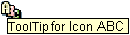
@DL\QToolTip for Icon ABC@
shows the following
tooltip:
For symbols, proceed in the same way.