Creating Controllers
Prerequisites
You have created an empty BSP application for this tutorial.
Procedure
Create a controller within your BSP application.
To do this, choose
 Create
  Controller
  .
.
On the following dialog box, give the controller a name and add a short description.

Choose
 .
.On the following screen, assign a class name to the controller.
The class does not have to exist yet.

You navigate to the Class Builder by double-clicking on the controller class.
If the class does not already exist, the system asks you if you want to create it. Choose Yes so that you create a class with the specified name that is derived from CL_BSP_CONTROLLER2.
 Note
NoteEach controller class must be derived directly or indirectly from CL_BSP_CONTROLLER2.
End of the note.Choose the
 symbol to branch to the change mode in your class.
Select method DO_REQUEST and choose symbol
 to overwrite the methods.
Generate the required output.
In this example, it is simple HTML:
 Syntax
method DO_REQUEST . write( '<html><body><H1>' ). write( 'This is my very first controller' ). write( '</H1></body></html>' ). endmethod.
End of the code.Activate your class and your BSP application.
Before you can test the controller, in transaction SICF you must also activate the new entry that was automatically created for your BSP application (see also Activating and Deactivating an ICF Service).
In transaction SICF, select the entry for your BSP application and choose
Service/Virt.Host Activate .
Confirm the following confirmation prompts.
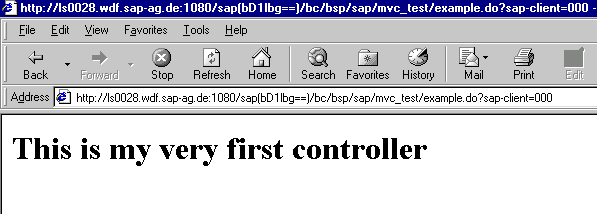
You can now test the new controller page that you have created.