 Defining the Positioning of the Settings Dialog Box
Some UI elements for standard ALV functions are located in a special area - the Settings dialog box.
The Settings dialog box is displayed above the ALV display by default when the user clicks on Settings in the toolbar.
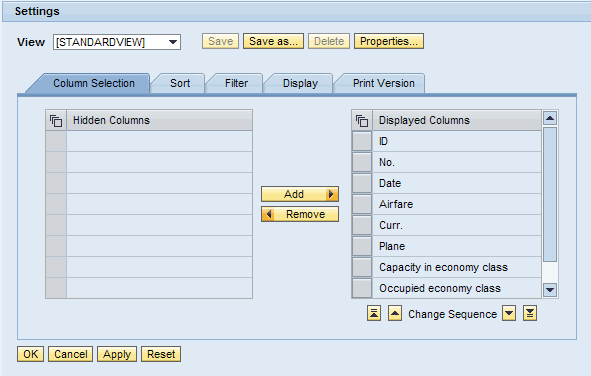
The figure shows a settings dialog box in the standard configuration.
You have different options for adapting the positioning of this dialog box for your application:
You can place the interface view
SERVICEin the required position in your application.For more information: Embedding ALV Views
You can specify whether the dialog box is to be displayed as a modal window, that is, as a popup window in front of your ALV display:
Procedure
Display the dialog box as a popup
Use the method
SET_DIALOG_SETTINGS_AS_POPUPof the interface classIF_SALV_WD_STD_FUNCTIONSwith parameterABAP_TRUE. No further steps are required.
Check whether the dialog box is displayed as a popup
Use the method
IS_DIALOG_SETTINGS_AS_POPUPof the interface classIF_SALV_WD_STD_FUNCTIONS.