
 Defining the Basic Attributes of a Global
Class
Defining the Basic Attributes of a Global
Class

Create a global class – that is, a class that is available system-wide. The tool used to do this in the SAP NW Application Server is the Class Builder. You can either call it directly using SE24 or via transaction SE80, the Object Navigator, with which you can create and manage different objects. You must first define the basic attributes of the class.
...
1. Enter transaction code SE80 to call the Object Navigator.
2. Choose Class/Interface from the pull-down menu and enter MY_EXAMPLE_CLASS as the name of the class. Then choose Display.
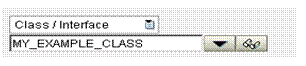
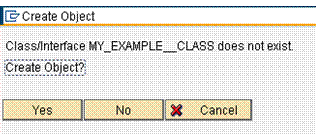
3. Since the class MY_EXAMPLE_CLASS does not yet exist, the system asks you whether you want to create it.
Confirm that you want to create the object.
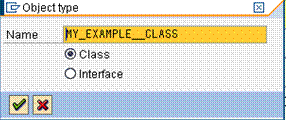
4. In the next step, specify that you want to create a class but no interface.
5. Enter a short description for the class and leave the default value Public for Instantiation and other default settings unchanged. This means, the constructor of the class can be called outside the class and its subclasses. You will create a normal ABAP class, no exception class, or a persistent class, for which the system supports the automatic persisting of the attribute values during commit. Check Final.
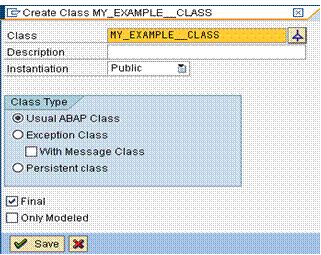
6. Save the class.
7. Now assign the class to a package. A package is a unit, whose elements can be collectively transported to another system. For the purposes of this example, no transport is necessary, so no specific development class is required. Choose Local Object. Local objects cannot be transported to another system.
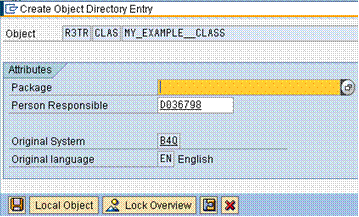
8. Choose Save again.