
 Testing the Converter Web
Service
Testing the Converter Web
Service

Use
You can test the web service using the SAP NetWeaver
Web Services Navigator. The Web Services Navigator allows you to test your Web
service without having a Web service client for it. More information:
 Testing
Web Services in the Web Services Navigator.
Testing
Web Services in the Web Services Navigator.
Procedure
1. Open the SAP NetWeaver Web Services Navigator in a web browser, by entering the following address.
http://localhost:<port>/wsnavigator
You can construct <port> by the formula 5 + NN + 00, where NN is the number of the Java instance.
If prompted, enter administrator’s user name and password.
2. On the Service step, proceed as follows:
a. In the Search Service Interfaces screen area, select WSDL.
b. In the WSDL URL field, enter http://localhost:<port>/sapws/com.sap/ConverterEAR_ConverterEJB_EJB_ConverterBean/Converter_Service/ConverterBeanPort?wsdl&mode=ws_policy.

If the
tested service is deployed on one system and you run Web Services Navigator on
another system, you should first allow the Web Services Navigator to access
the system on which the tested service runs. More information:
Configuring Web Services Navigator White
List
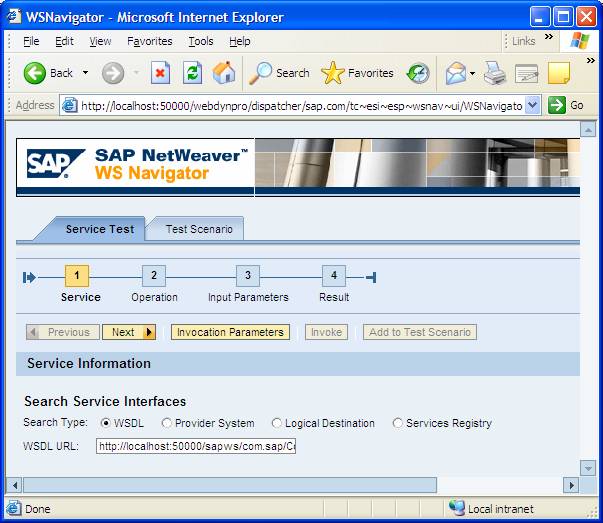
3. Choose Next.
4. On the Operation step, choose the dollarToEuro operation, and then choose Next.
5. On the Input Parameters step, deselect the Skip indicator and then enter a number in the dollars field.

6. Choose Next.
7. On the Login Information window, enter administrator’s username and password and choose OK.
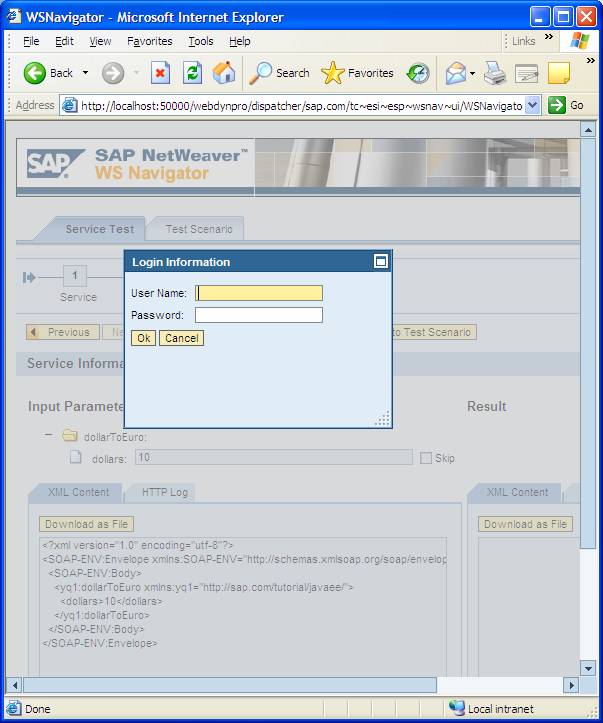
8. On the Result step of the wizard, you can preview your input parameters and the executed result.
Next Step
Creating the Converter Web Service Client