
 Starting the Converter Web Service Client
Application
Starting the Converter Web Service Client
Application

Use
To consume the Web service, start the client application.
Procedure
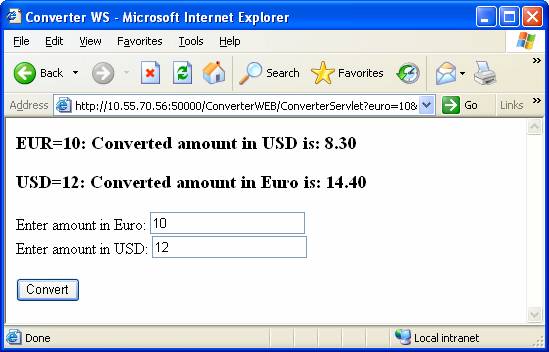
1. Open the Web service client application in a web browser, by entering the following address.
http://localhost:<Port_Number>/ConverterWEBClient/ConverterServlet
You can enter <Port_Number> constructed by the formula 5 + NN + 00, where NN is the number of the Java instance.
2. In the <name> fields, enter a positive integer.
3. Choose Convert.
Next Step
Viewing Converter Web Service Logs and Traces