
 PCM
Wizard Look and Feel
PCM
Wizard Look and Feel

PCM wizards are similar to standard wizards. All wizards contain a set of panes and a toolbar at the bottom of the wizard for navigating between panes.
PCM wizards also come with the following predefined panes that are displayed or activated automatically:
· Init (non-visible): Initializes the wizard, such as setting the title and other parameters.
· Info: Provides a user interface to enable the administrator to enter standard fields for all objects, such as the name and ID for the object.
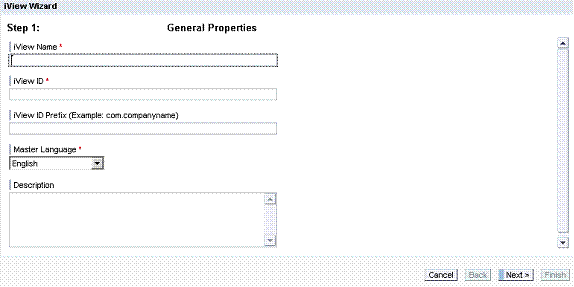
· Summary: Displays a summary of the information entered by the administrator, and enables the administrator to create the object or go back and change the information.

· Save (non-visible): Saves the new object with all the properties defined by the wizard.
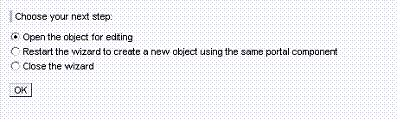
· FinishPane: Displays after the new object is created, and provides options to:
¡ Open the editor for the new object.
¡ Rerun the wizard to create another object.
¡ Close the wizard.
For your custom functionality, you create custom panes that are displayed after the Init pane and before the Summary pane.
The process flow, that is, when each pane is displayed or called, is described in Process Flow.