Switching Configuration Profile Versions
To switch an active configuration profile, you deactivate one configuration profile version, and activate another version.
When you activate a new configuration profile version, the provider and the consumer systems are updated as follows:
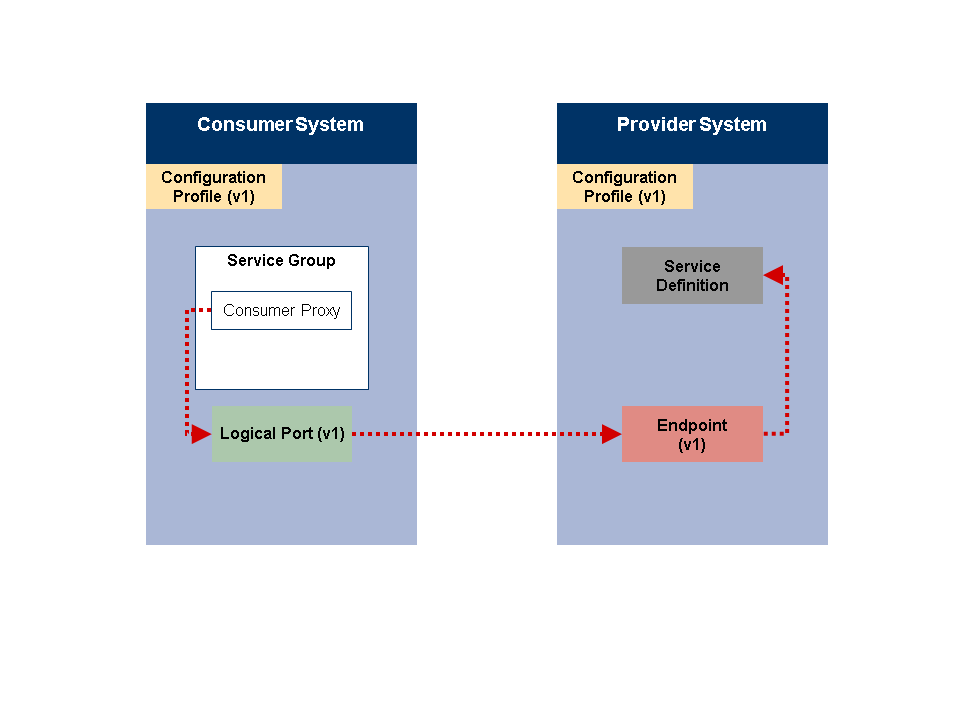
Configuration profile version 1 is active on both the provider and the consumer system. Logical port version 1 is being used to access endpoint version 1 on the provider system.
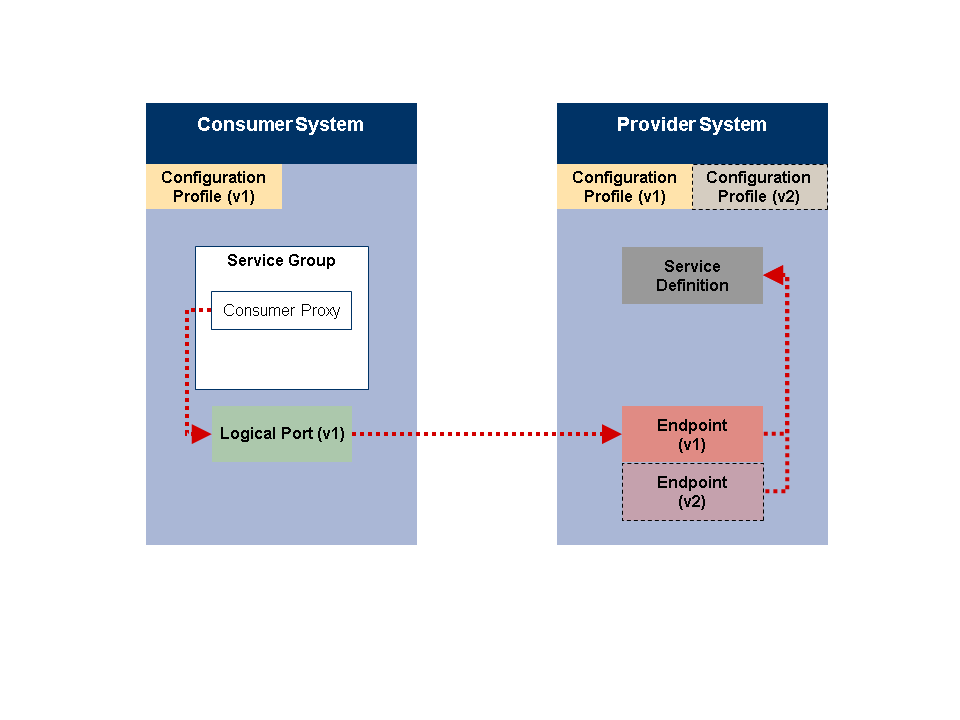
The new configuration profile (version 2) is activated on the provider system. A corresponding endpoint is created for the service definition.
For a transitional period, both endpoint version 1 and version 2 are active on the provider system. Initially, only endpoint version 1 is being accessed by the consumer system.
When you assign a configuration profile to a service definition, endpoints are only created if both the configuration profile and the configuration scenario with the service definition are active.

The new configuration profile (version 2) is activated on the consumer system. A new logical port (version 2) is created and activated for configuration profile version 2. Logical port version 2 points to the endpoint version 2 on the provider system.
Configuration profile version 1 and the logical port version 1 are now deactivated on the consumer system. Configuration profile version 1 and its endpoint are still active on the provider system. Endpoint version 1 may still be accessed by other consumer systems.

Configuration profile version 1 is deactivated on the provider system. Endpoint version 1 is now deleted on the provider system.
Now only the new configuration profile version is active on both the provider system and the consumer system.