Defining a Subsequent Page Statically
Use
Process
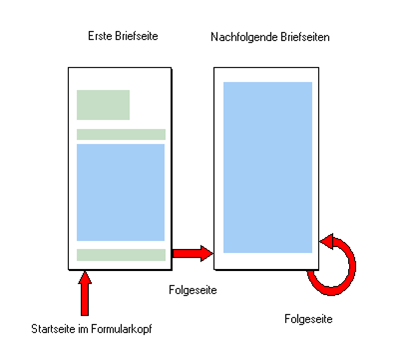
You define the subsequent page statically with the form maintenance transaction. First, specify the start page in the form header. The system automatically calls this page whenever the form is started. With this page, or, more correctly, with the page window of this page, the text output starts. For each page, specify the subsequent page in the page definition After a page break, the system continues text output on the subsequent page defined for the last page. By specifying start page and subsequent pages, you can define a page sequence.
Static definition of subsequent pages in the form maintenance transaction