Pages
The individual pages of a document often have different layouts: The first page of an invoice differs from the subsequent pages, on which you need not repeat general information, such as address or customer data. Just as the text elements of a window, the pages also have names. You may need these names to specify the subsequent page in case of a page break. The more variable you want the layout of a document to be, the more different pages you will define in the SAPscript form.
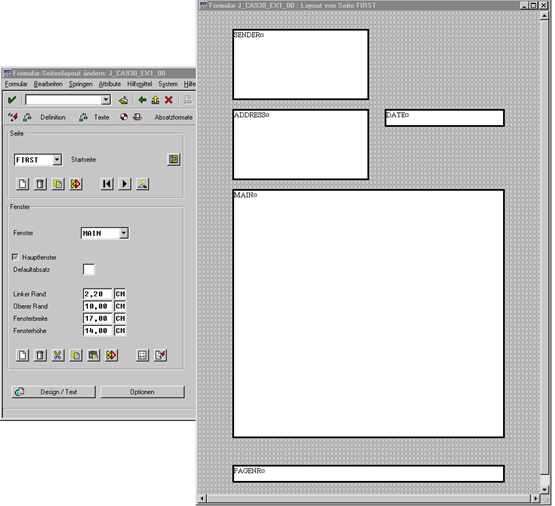
The figure below shows an example of how to maintain a page within transaction SE71 (Form: Request). You see the graphical Form Painter, which you can use under the frontend operating systems Windows 95 and Windoes NT 4.0.
For more information on the graphical Form Painter, see the SAP online documentation BC - Style and Form Maintenance (menu option Other Topics).