Displaying Measurement Results
Here you can display the results of JARM measurements you have made (see JARM in the VM Container).
You have activated JARM and configured your requirements accordingly. For more information, see Displaying and Changing JARM Setting.
On the initial screen of the VMC system administration (SM53) in the structure on the left side under Navigation choose
 JARM
JARM  Measurement Results
  .
.
If the data has not yet been compressed and no results are available, choose
 to force the compression. (In this example the data has just been compressed).
The following information displayed:
Memory Consumption
The table at the top shows the memory consumption for uncompressed data, compressed data, and for JARM data in top request lists. Top requests are the requests needed most. Normally once the data has been compressed, the uncompressed data is deleted to reduce memory requirement. However, JARM uses top request lists of unrestricted size to store the uncompressed data of the slowest system requests, giving users the opportunity to examine these requests more closely. In a system with only a small number of requests instrumented with JARM, once data has been compressed the memory requirement may not be reduced since all requests happen to be in the top lists.
Control Elements
The following control elements are shown beneath the memory consumption display: These have the following meaning:
|
Icon |
Quick info. |
Meaning of Possible Settings |
|
|
Refresh |
Refreshes the display |
|
|
Top Requests Top Components Top Users |
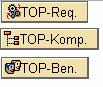
These pushbuttons relate to the JARM top lists. They display uncompressed data of top requests, components, and users. You can see at a glance in which requests and components, and for which users most time is lost. The data can be sorted and displayed according to predefined criteria. |
|
|
All Components |
This pushbutton displays all component data for a server instance. The compressed data of a component is displayed and can also be sorted according to predefined criteria. Data compression consists of taking measurements for multiple uncompressed components of the same name and calculating the mean value. A new component is formed from this, and this is the compressed result. |
|
|
VMC Threads |
This pushbutton displays all VMC threads belonging to an instance. Only those threads that process requests instrumented with JARM are listed. The display distinguishes between active and non-active threads. Non-active threads receive details only of the JARM requests last processed. Active threads contain user details as well as request details. |
|
|
Summary of All Data |
This is the standard display (see above). |
|
|
Reset |
You can choose between: Reset Everything: Reset All Data Reset Top Requests: Rest Top Users Reset All Components |