Reading Values with GETGUI
Prerequisites
You have recorded the field values with the GETGUI command.
Procedure
-
Open the command interface in the structure editor.
-
Choose
 to display the interface in the easy mode.
 -
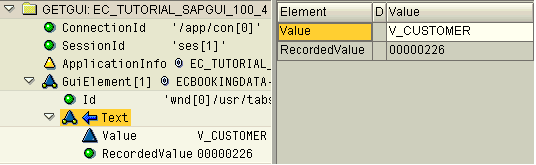
Double-click the node containing the name of the property (in the example below, the Text node) to display the elements Value and RecordedValue.
-
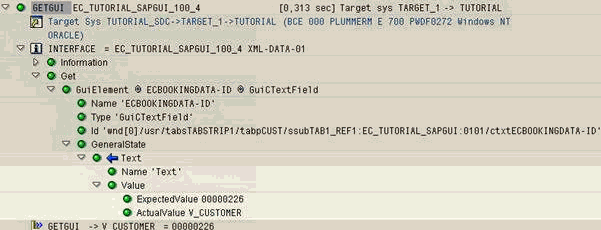
In the log and in the technical view, these are called ActualValue and ExpectedValue respectively.
-
Enter a parameter name for the Value field.
Example
The command interface:
In the log: