Programs or Program Extracts
You can restrict the runtime measurement to particular objects by choosing Change from the Measurement Restrictions group box on the initial screen of the runtime analysis.
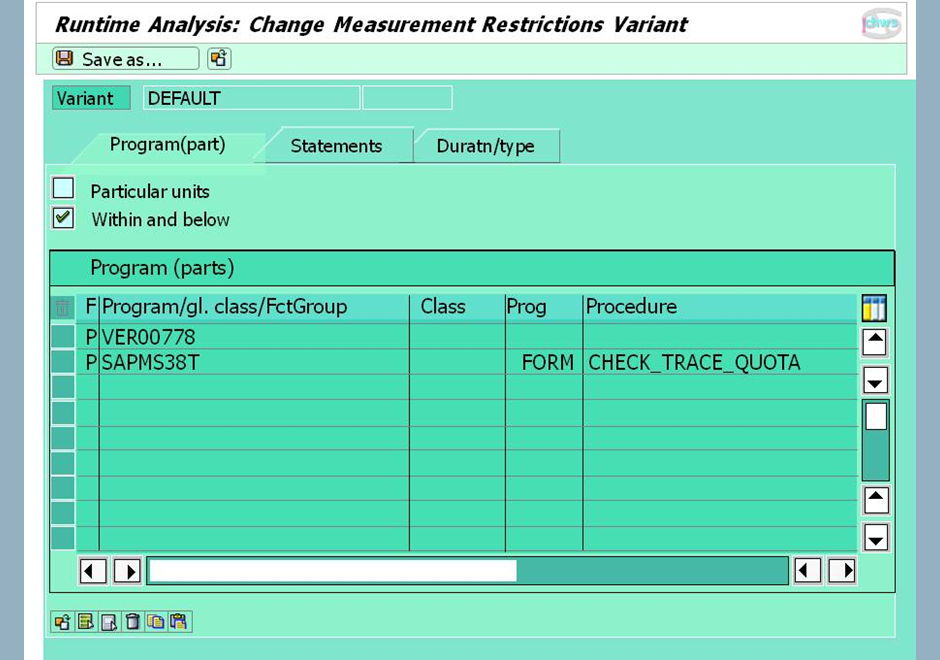
If you only want to measure certain programs or sections of programs, enter the ID of the object in the first column, followed by its name. You can specify up to ten programs.
The program type must be one of the following:
-
P for an executable program or module pool
-
C for a global class
-
F for a function group
Under Class , you can enter the name of a class or an interface. If the runtime analysis refers to a procedure, the Proc. and Procedure columns must also be completed. Proc. can be one of the following:
-
METH - method
-
FUNC - function module
-
FORM - subroutine
The following table contains all possible input combinations. Entries in red are added automatically:
|
P |
Program |
Class |
Proc. |
Procedure |
|---|---|---|---|---|
|
F |
Function group |
FUNC |
Function Module |
|
|
C |
Global class |
|||
|
F |
Function group |
|||
|
P |
Program: |
|||
|
C |
Global class |
METH |
Method |
|
|
C |
Global class |
Local class |
METH |
[ Method ] |
|
F |
Function group |
Local class |
METH |
[ Method ] |
|
P |
Program: |
Local class |
METH |
[ Method ] |
|
F |
Function group |
|||
|
P |
Program: |
FORM |
Subroutine |
If you intend to repeat the measurement, you can save your entries as a variant by choosing Save as If you choose Sichern (by pressing [ENTER] ) instead, the existing variant is stored with your changes. If you change the DEFAULT variant, the changes are saved as a temporary variant.