Example: Dragging and Dropping Structural Components in the Columns
Use
You want to change the position of a structural component in the columns in the analysis grid so that it takes the position currently occupied by another structural component.
Procedure
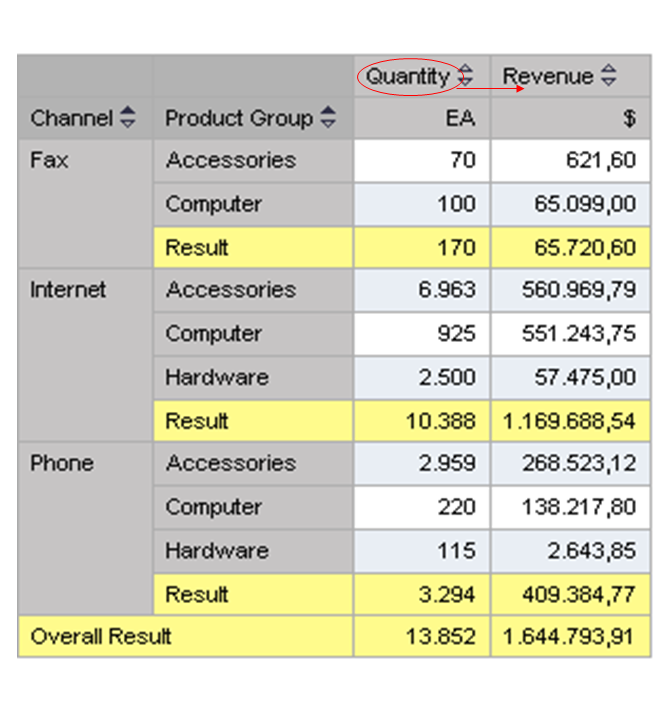
Drag structural component Quantity to the right, to the position occupied by the second structural component Revenue.
Result
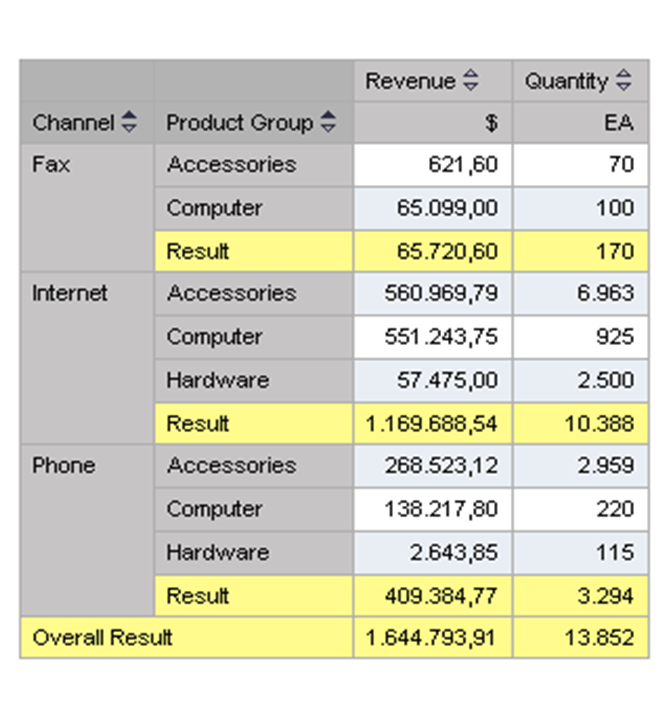
The analysis grid changes accordingly: Quantity now appears in the second column and Revenue appears in the first column.
Note
If you now want to have Revenue in the second column again, drag it to the right, to the position occupied by Quantity. You cannot drag Quantity to the first column, as it is not possible to drag objects from right to left.