User Interfaces
In your application, you have to design two views. The templates for the user interfaces are described in this topic.
The first view we require is the Customer Details view. This view displays the details of the customers that have registered a service request. You should be able to select a particular customer and navigate to the second view, where the orders of the selected customer are displayed.
The template for the first view is as shown below.
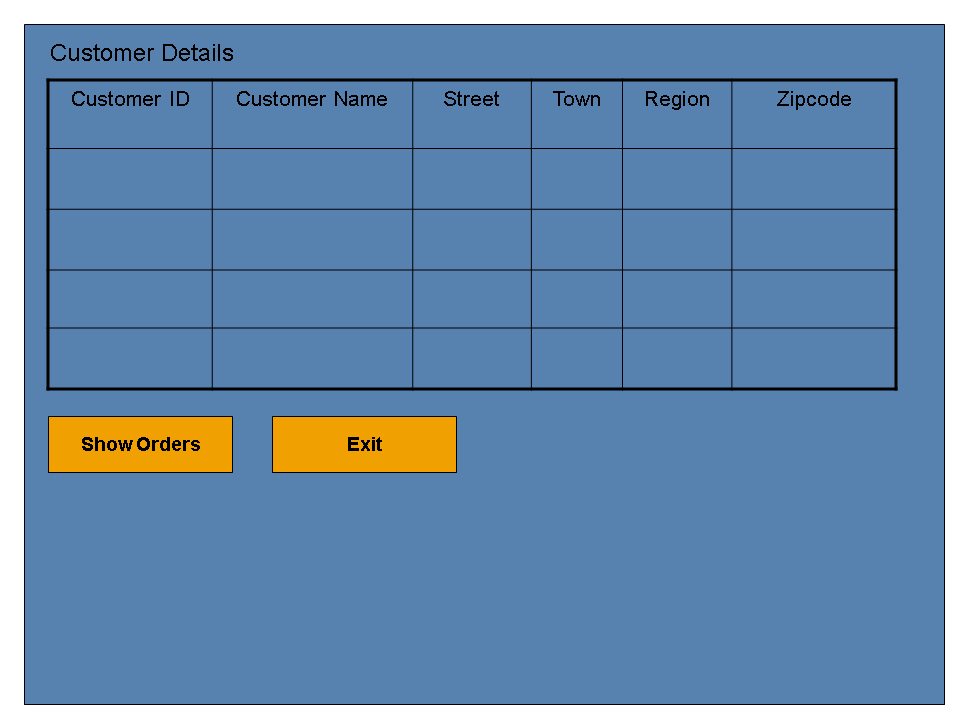
The elements of this view are listed in the table below:
Customer Details View
|
UI Element |
Action |
|
Table |
Displays all customer information. You can select the customer whose orders you want to see. |
|
Button 1 - Show Orders |
Displays the orders of the selected customer in the Order Details view |
|
Button 2 - Exit |
The application exits and returns to the SAP NetWeaver Mobile client homepage. |
The second view we require is the Order Details view. This view displays the orders of the selected customer. You can also update the data in this view. The template for this view is as shown below.
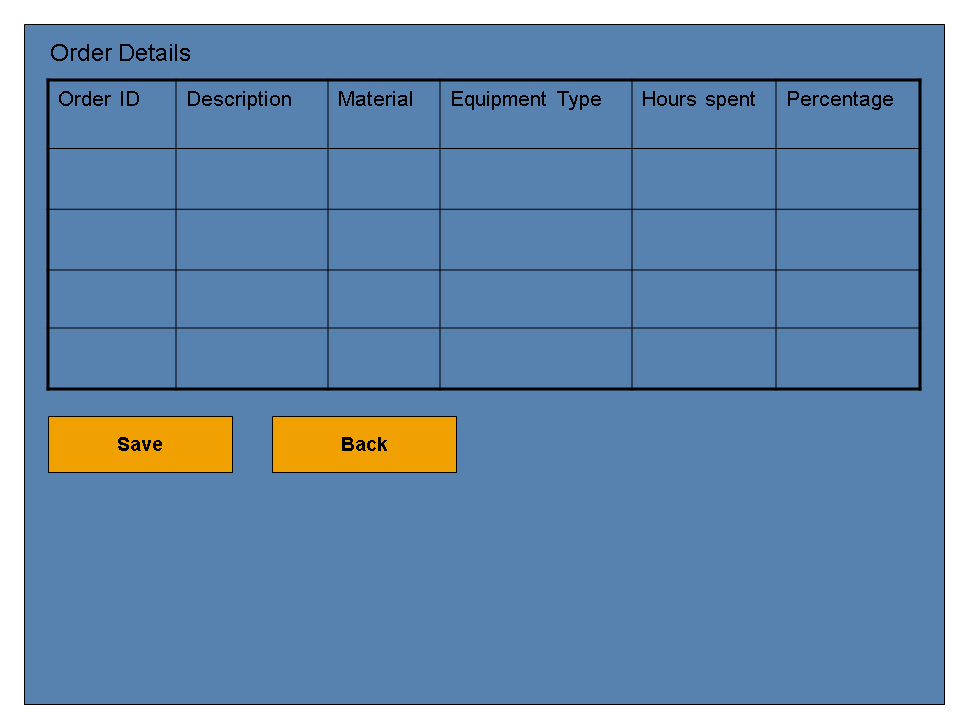
The elements of this view are listed in the table below:
Order Details View
|
UI Element |
Action |
|
Table |
Displays all orders of the selected customer |
|
Button 1 - Save |
Saves the changes that the user updates |
|
Button 2 - Back |
Displays the previous view - the Customer Details view |