Recording a Test Script in the Developer Studio
From the Web Dynpro Explorer, you can record a deployed application.
Restriction
You can only record one application at a time. For example, if your application contains a link to another application, recording ends when you click on the link.
Recording UI Information
If you want to record UI information, you need to have selected Record UI Information in Test Script (under Preferences → Web Dynpro → Web Dynpro Test). If you are only testing in the Developer Studio, you would normally not record the UI information - the amount generated can be large and it is not needed for replay anyway. However, test scripts that you intend to import into eCATT require this information if you want to use functions associated with the simulator there.
The Web Dynpro project exists on the local machine.
The Web Dynpro application has been deployed and the SAP J2EE Engine preferences are correctly configured (Windows → Preferences → SAP J2EE Engine).
- Open the Web Dynpro perspective.
- In the Web Dynpro Explorer, expand the project and select the application.
-

- From the context menu, choose Record.
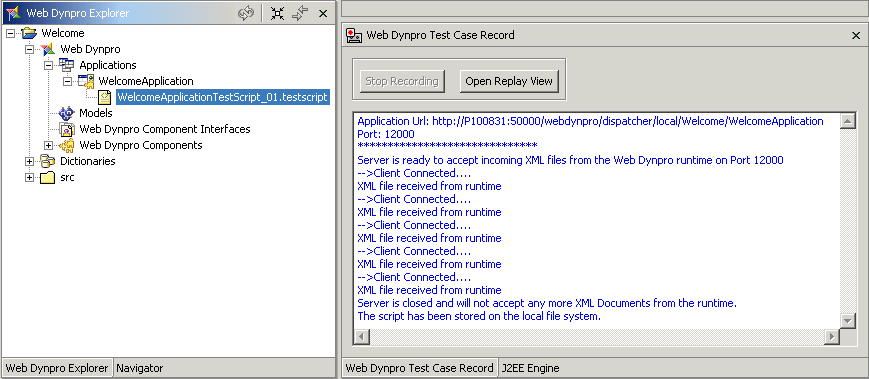
- The Web Dynpro Test Case Record view appears and the application starts.
-
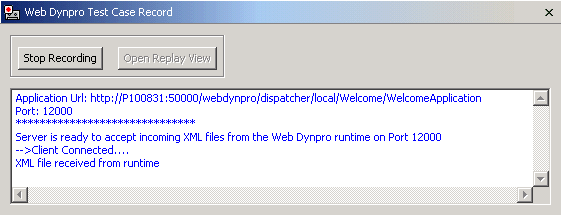
- Use the application as required.
- When you have finished with the application, choose Stop Recording.
- The Script Save dialog appears.
- Enter a file name and description for the test script.
-
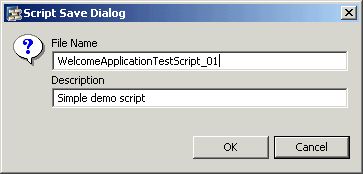
- The file extension .testscript will be added automatically.
- Choose OK.
The new test script is stored as an XML file on the local file system. The test script is visible as a node under the application in the Web Dynpro Explorer.