Switching off the UWL Cache
Context
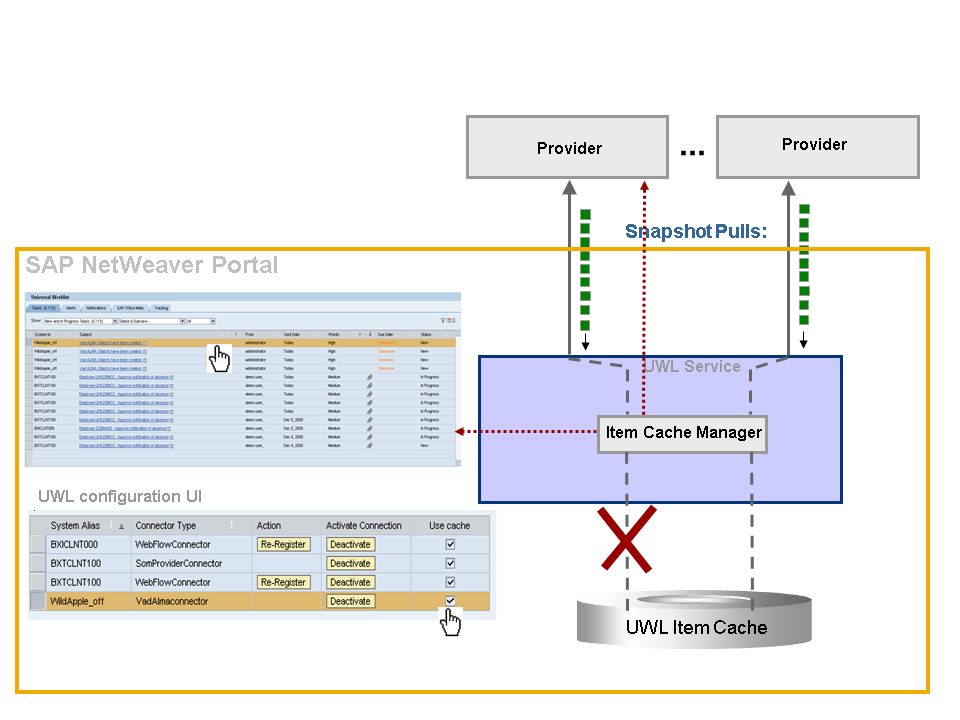
You can switch off the UWL cache for BPEMUWLConnector and custom UWL connectors in the UWL configuration. This may be used, for example, if the application runs on the same application server as the UWL. In this case the access to the back end can be faster without using the cache database even if all iView related actions require direct back-end calls.
The following graphic illustrates, how and from where the items are transported into the UWL:
Procedure
- In the portal, choose
System Administration
 System Configuration
  Universal Worklist & Workflow Universal Worklist - Administration
  .
.