 Example: How Routings Work
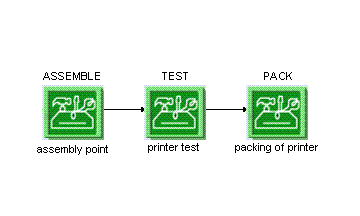
To manufacture one of your products, your shop floor performs the following three steps:
ASSEMBLE
TEST
PACK
After you create these three operations and assign them a resource type, you can tie these operations together in Routing Maintenance as depicted in the following figure:
Example
Note that when you open Routing Maintenance
for the first time, the system displays the Java Web Start
screen to install the application.
Process
After the system releases a shop order and SFC numbers for a product, each SFC number is placed in queue at the ASSEMBLE
operation, the first step on the routing.
Operators at the
ASSEMBLE
operation log on to the system, open theOperation
production operator dashboards (PODs), and enter the operation they will perform and the resource they are using.In the PODs, the operators can view a
POD Work List
(see POD Work List). The operator can select one or more SFC numbers from the list and choose theStart
button to indicate that they have started work on these units. When the operators have finished working the unit, they choose theComplete
button to indicate that work is complete.When the operators choose the
Complete
button, the system places the SFC number in queue at the next operation, in this case,TEST
. The operators at theTEST
operation open thePOD Work List
in their PODs, select the SFC number, start and complete it. The system then places the SFC number in queue at thePACK
operation. The operators at thePACK
operation open thePOD Work List
in their PODs, select the SFC number, start and complete it.
 Note
Note
Operators can scan information into the PODs.
The example above assumes human production operators working in the POD. You can also send Start
and Complete
messages to the system from your machines through a machine interface. When you use machine interfaces, you do not use
the POD. See your SAP ME consultant for more information about machine interfaces.