Deploying and Running the Calculator
Application
Deploying and Running the Calculator
Application

Prerequisites
|
|
You have created the Calculator EAR file CalculatorEar.ear. |
|
|
You have made sure that the SAP J2EE Engine has been launched. To do this, refer to: Starting and Stopping the SAP System. |
|
|
The SAP J2EE Engine is registered in the Developer Studio. To check the server settings, choose the menu path Window > Preferences > SAP J2EE Engine. |

Procedure
Deploying the EAR
...
1. In the J2EE Explorer, expand the CalculatorEar tree structure and select the EAR file CalculatorEar.ear.
2. Check if the J2EE Engine is running.
3. Open the context menu and choose Deploy to J2EE engine.
4. Enter the SDM password, if required.
The system displays a message to inform you that the deployment process has finished successfully.
Running the Calculator Application
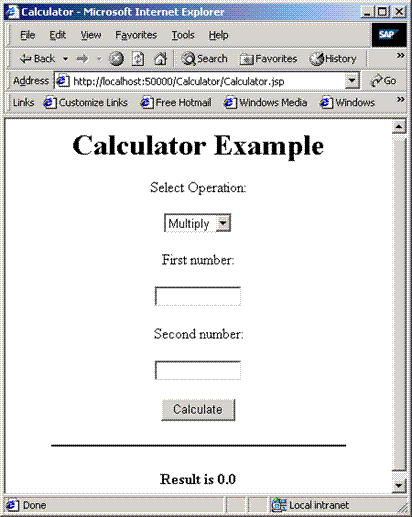
5. Call the calculator application by entering its URL in the Web browser:
http://<host>:50000/<contextRoot>/<Name_of_JSP.jsp>
 Example: http://localhost:50000/Calculator/Calculator.jsp.