
 Adding Persistence to Projects

Use
You use this procedure to add persistence to EJB 3.0 projects.
Prerequisites
You have created:
● An EJB 3.0 Project in the SAP NetWeaver Developer Studio
More information:
 Creating EJB 3.0
Projects
Creating EJB 3.0
Projects
● A connection to the database
More information: Creating Database Connections
Procedure
Select the Project...
1. Select the project in the Package Explorer.
2. Choose Java Persistence → Add Java Persistence from the context menu. The Add Java Persistence dialog opens.
3. Choose a database connection to use from the Connection dropdown list.
4. Choose a database schema to use from the Schema dropdown list.
5. Enter an arbitrary name in the Persistence unit name field.
More information about persistence units and entity packaging: Packaging Persistent Entities
6. Choose Finish.
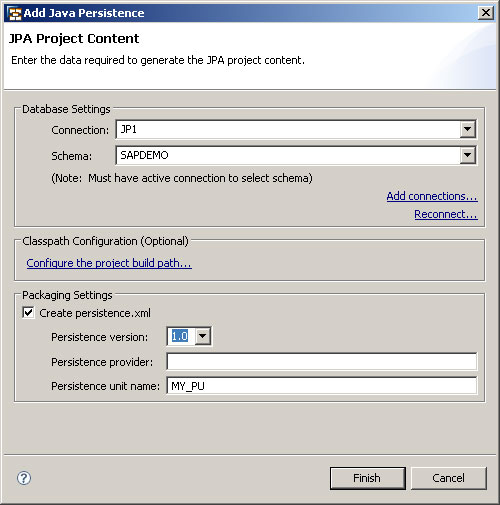
The Add Java Persistence Dialog