
 Viewing Object Details

Use
The Object Detail dialog displays information about a selected object, such as its data group, original name, and source file location.
An example of an Object Detail dialog is shown in the figure below.
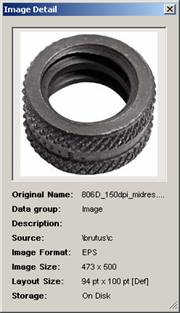

The information displayed in the Object Detail dialog is determined by the object record’s fields, which vary by object type.
For copy block, text block, and HTML objects, the Object Detail dialog displays a read-only version of the object’s contents.
Procedure
To view an object’s details:
...
1. Select a record on an object table and choose Objects ® View Detail from the main menu, or right-click on an object in an object field or object lookup field and choose View Detail from the context menu.
2. The Data Manager opens the Object Detail dialog (figure above).
3. When you are done viewing the object’s details, click the close button in the upper right corner of the Object Detail dialog to return to the Data Manager.