
 Numeric to Coupled Numeric

Use
When you convert from numeric to coupled numeric, MDM opens a dialog that requires you to supply the coupled information, and just a single coupled numeric value.
Procedure
To change an attribute’s type from numeric to coupled numeric:
1. In the Attributes pane, select the numeric attribute whose type you want to convert to coupled numeric.
2. Right-click on the attribute and choose Convert Type from the context menu, or choose Attributes ® Convert Type from the main menu.
3. Choose To Coupled from the cascading menu of conversions to open the dialog shown in the figure below.
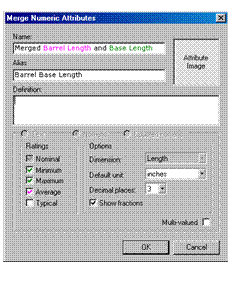
4. Enter a Coupled Name for the converted attribute.
5. Specify the coupled Dimension for the converted attribute.
6. Specify the settings for the number of Decimal Places and the Show Fractions option for the coupled dimension of the converted attribute.
7. Enter a single numeric value and unit of measure for all of the coupled values of the converted attribute.
8. Click OK when you are done to close the dialog.
MDM converts the selected attribute.