
 Vertical
Tabs
Vertical
Tabs

The search tabs of the Search Parameters pane in Record mode are examples of vertical tabs (figure below). Click on a vertical tab to open it.
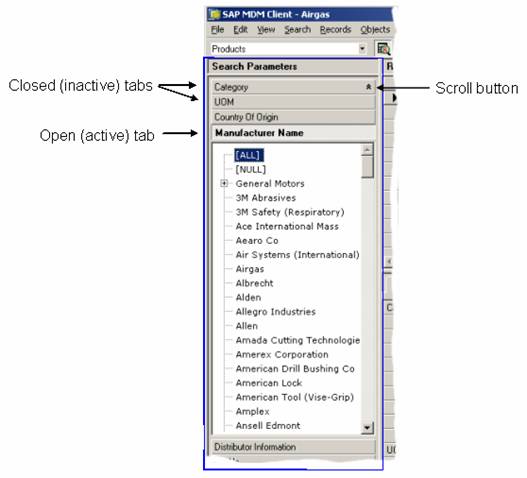

If
the number of tabs is large, not all of them may be visible at the same time,
and you can use the little up ( ) and down (
 ) scroll buttons to: (1) scroll them
vertically; or (2) select the desired tab directly using the right-click menu
of available tabs.
) scroll buttons to: (1) scroll them
vertically; or (2) select the desired tab directly using the right-click menu
of available tabs.