 Displaying Symbols and Icons on the List
You can output certain symbols or icons on a list by using the following syntax:
 Syntax
WRITE symbolname AS SYMBOL.
WRITE ikonenname AS ICON.
The names of symbols and icons symbolname and ikonenname are system-defined constants that are specified in the INCLUDE programs <SYMBOL> and <ICON> (the angle brackets are part of the name). The includes also contain a short description of the symbols and icons. The easiest way to output symbols and icons is to use a statement structure (see the example in Using WRITE via a Statement Structure).
To make symbols and icons available to your program, you must import the appropriate INCLUDE program or the more comprehensive INCLUDE program <LIST> into your program. For further information about importing INCLUDE programs, see Using Include Programs.
Syntax
INCLUDE <symbol>.
INCLUDE <icon>.
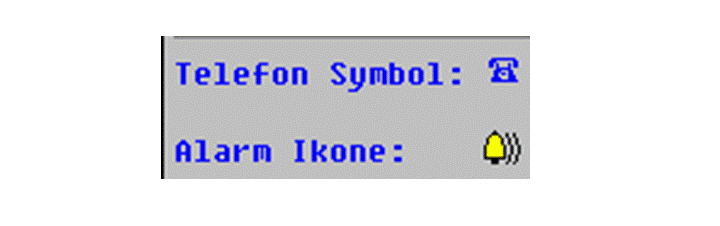
WRITE: / 'Telefon Symbol:', sym_phone AS SYMBOL.
SKIP.
WRITE: / 'Alarm Ikone: ', icon_alarm AS ICON.
This produces the following output:
You can replace both the above INCLUDE statements with one single INCLUDE statement:
INCLUDE <list>.