Embedding Modal Dialog Boxes
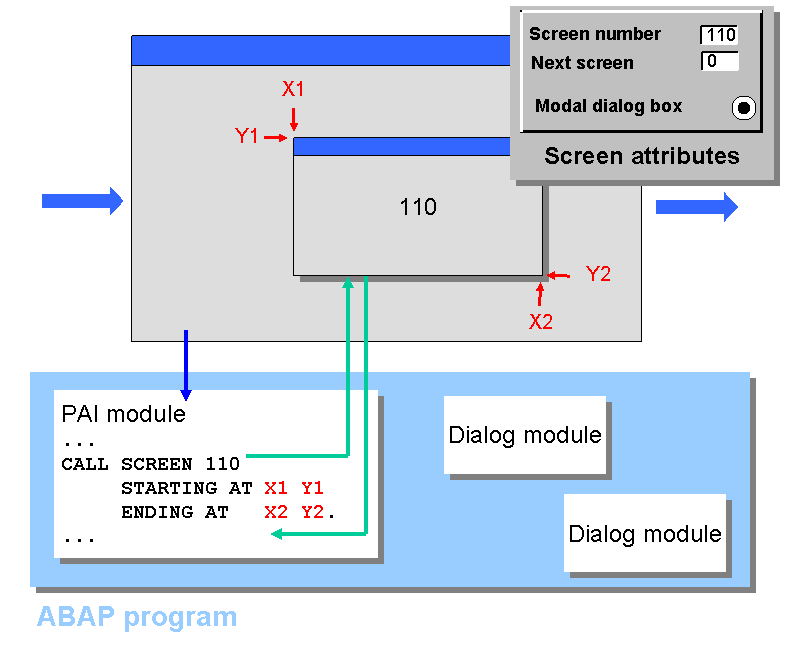
Calling a single screen is a special case of embedding a screen sequence. If you want to prevent the called screen from covering the current screen completely, you can use the CALL SCREEN statement with the STARTING AT and ENDING AT options:
 Syntax
CALL SCREEN dynnr
STARTING AT X1 Y1
ENDING AT X2 Y2
End of the source code.
This calls the screen number scrn as a modal dialog box. This means that during the dialog box display the screen behind it is visible but inactive. The options STARTING AT and ENDING AT define the start and end positions of the dialog box. In the screen attributes of screen scrn, you must set the Modal dialog box attribute. This defines how the interface elements are positioned on the screen.