
 Deploying the iView

Prerequisites
● You have created and configured an iView as described in the previous steps of the procedure. See Modeling Visual Composer iViews for Guided Procedures.
● The model is open in Storyboard.
Procedure
...
1. To display the Deploy to Portal task panel, click the Deploy button in the task panel toolbar.
2. To deploy the iView to the portal, click Deploy.
3. Upon successful deployment, you should be able to see the compiled source code and run the iView in the portal to test it.

Result
1. Once you have created and deployed the iView, you have to assign it to a user role before you expose it as a callable object in Guided Procedures. You can do this in Content Administration ® Portal Content.
For the purposes of the tutorial, assign the GP iView to Every User Core Role in Portal Users.
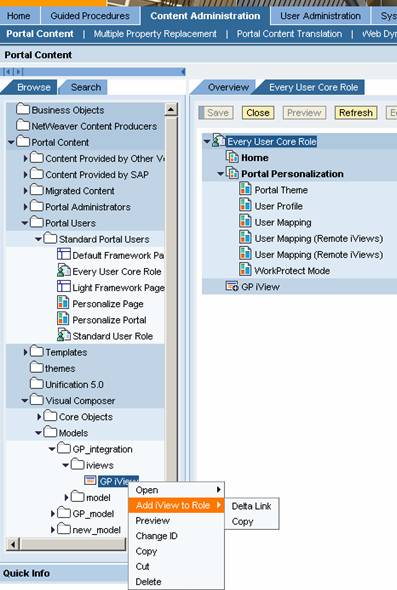
For a
detailed description of assigning iViews in Portal
Content, see
 Assigning iViews to
Users.
Assigning iViews to
Users.
4. Next, you should create a callable object in GP design time.