Data Explorer
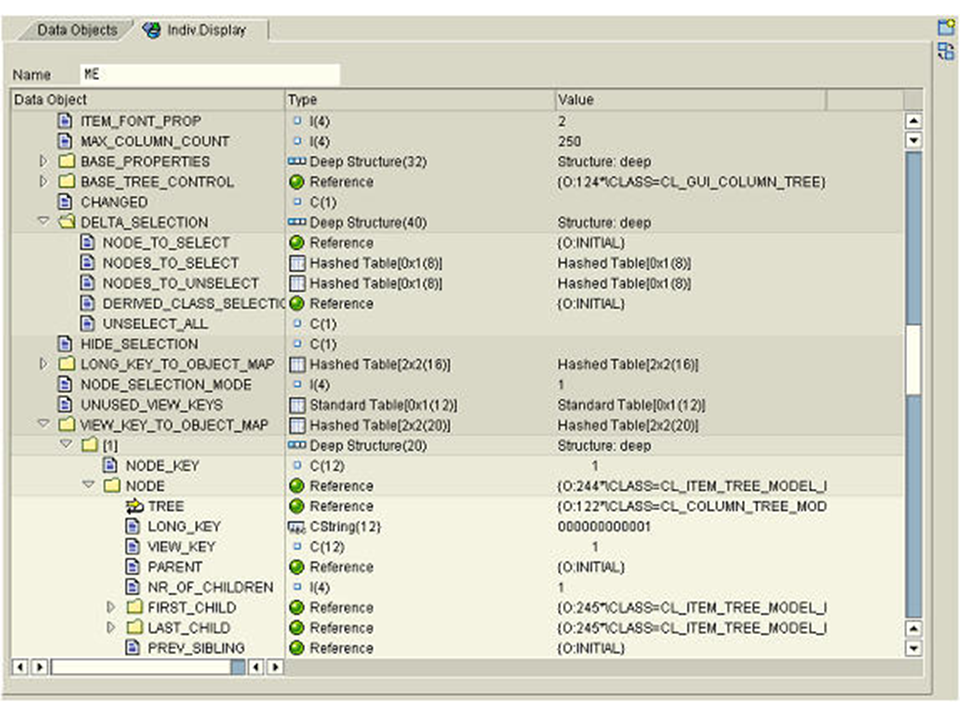
The Data Explorer is a tool used for displaying variable contents and data objects of an ABAP program in the Debugger. The display is given in a tree structure.. This enables hierarchical display of deep structures, tables, and objects within a tool.
You can start the Data Explorer in one of two ways:
-
Use the standard functions to open and exchange Debugger tools.
-
In the source code display (edit control), you can display a variable in the Data Explorer through the context menu.
After selecting the variable concerned, you can view the substructures and components by opening the corresponding node in the tree. Both the type and the content are displayed.
One special feature of the display for internal tables should be noted. By default, the content of the first line is shown first for tables that are not empty. In the tree, the current table row is displayed as an interim node [n], where n is the index of the table row. Through the context menu of the interim node you can change the displayed row.
By double-clicking a node in the tree structure (or by using the select function and F2), you can navigate from the Data Explorer to the specialized display tool for the respective data type.