Get a Trial Account and Access SAP Web IDE
Steps for creating an SAP HANA trial account
If you do not have access to SAP Web IDE, you can create a free account. To create an account, simply register an SAP HANA trial account at https://account.hanatrial.ondemand.com/ and log on afterwards.

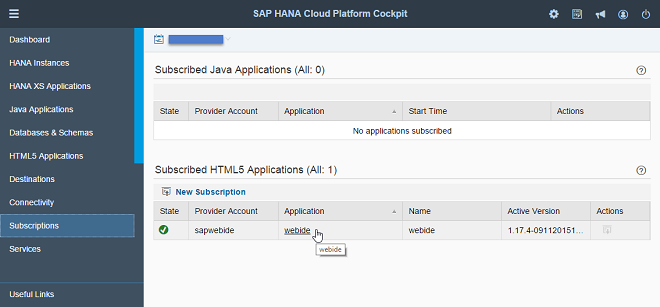
After logging on, choose Subscriptions in the navigation bar of the SAP HANA Cloud Platform Cockpit and open the detailed information on your SAP Web IDE by choosing the webide link.
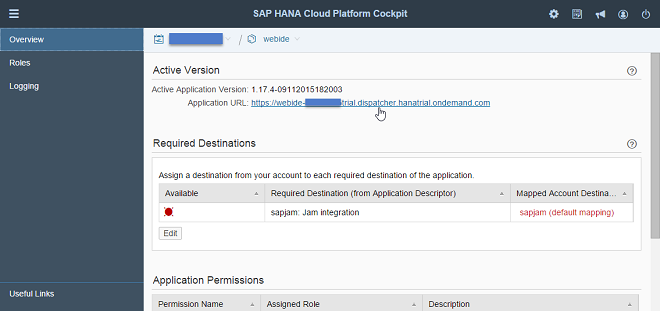
Here you can find your personal link to SAP Web IDE.
Note
You can bookmark this link to access the SAP Web IDE later.