Adapting the UI of an SAP Fiori App at Runtime
With UI adaptation at runtime (RTA), as a key user you can adapt the UI of apps in the SAP Fiori launchpad to fit the particular tasks and processes at their company - intuitively and without having to create new code, at runtime of the apps.
Adaptations with UI adaptation at runtime apply to the whole app and therefore also to all users of this app. In contrast, when an individual user personalizes an app, it applies only to this individual user.
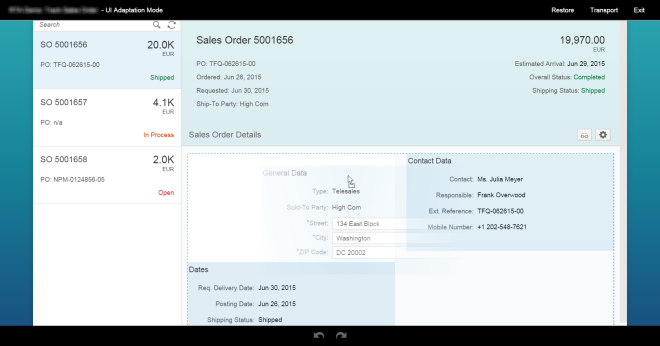
In the SAPUI5 Demo Kit, you can practice making changes in a demo app. You can experiment with all the different ways to adapt an app without having to worry that you’ll affect anything important. Just open the SAPUI5 Demo Kit in Google Chrome, and on the DEMO APPS tab choose the sample demo for UI adaptation at runtime.
Prerequisites
-
You run your app on a desktop computer or laptop in Google Chrome or in Microsoft Internet Explorer version 11 or higher.
-
Your app contains SmartForm or ObjectPage controls with stable IDs; these can be adapted at runtime. If in doubt, ask your administrator.
For more information, see Smart Form and Object Page Layout.
-
Your administrator assigned you to the authorization role SAP_UI_FLEX_KEY_USER.
-
Your administrator activated the ICF service /sap/bc/ui2/flp and ensured that you use the new FioriLaunchpad.html page. For more information, see SICF Services.