Prerequisites
You have created a function group in which you want to add the function module.
Context
You can create an ABAP Function Module for which you provide reusable functions.
Procedure
- In your ABAP project, select the relevant Package node in the Project Explorer.
- Expand the Source Library folder and select the relevant Function Group.
- Open the context menu and select .
- In the following dialog, enter a unique name for the new function group in the Name field.
Note You can enter maximum 30 digits.
- Enter a Description providing additional details.
Note The Original Language will automatically be assigned with the same language as defined in the function group.
- Enter a Description providing additional details.
Note The Original Language is already predefined by the default language of the ABAP project.
- [Optional] Choose the Browser... button if you want to add the
function module to another Function Group.
- Choose Next.
- Assign a Transport Request.
Note Not required for $
packages and for LOCAL packages, for which the changes are NOT
going to be recorded in the Transport Organizer.
- Choose Finish.
Results
The function module is assigned to the function group selected in the function module folder of the Source Library.
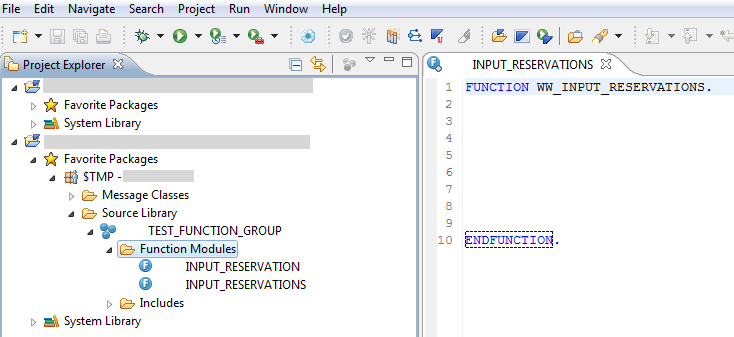
Figure 1:
Editor that is displayed after creating the function module
In the next step, you can enter the definition part and implementation part of the function module.

 New
New  ABAP Function Module
  .
.