 Multi-Frame Applications
In a multi-frame application, a subscreen is used to represent each frame in SAP system. Each subscreen has its own screen number and module pool.
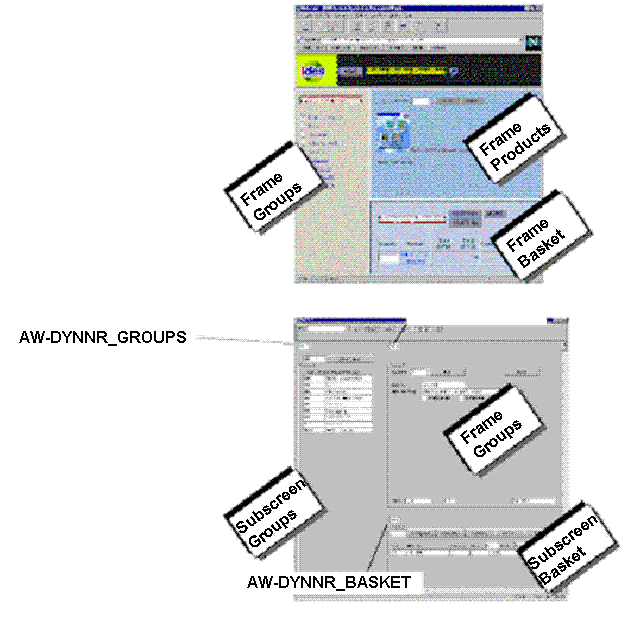
Process
Just as for single-frame applications, the Internet Transaction Server (ITS) tells a multi-frame transaction which main screen is required by sending the OK code AWSY.
If one or more of the subscreen screens need synchronizing, the ITS notifies the multi-frame application by sending the OK code AWSS. This OK code is sent only once.
In this case, your application must call the function module ITS_GET_SYNC_INFO to retrieve the requested subscreens. The returned table SYNC_INFO contains one record for every subscreen. The parameter SYNC_INFO-SUBSC contains the name of the subscreen, SYNC_INFO-REPID contains the subscreen’s module pool, and SYNC_INFO-DYNNR contains the requested screen number for the subscreen.
The following processing logic illustrates this:
 Syntax
PROCESS BEFORE OUTPUT.
call subscreen groups  including DYNMOD_GROUPS  dynnr_GROUPS.
call subscreen product including DYNMOD_PRODUCT dynnr_PRODUCT.
call subscreen basket  including DYNMOD_BASKET  dynnr_BASKET.

	PROCESS AFTER INPUT.
MODULE PROCESS_FCODE.
Call subscreen groups.
Call subscreen product.
Call subscreen basket.

	MODULE PROCESS_FCODE.
  PERFORM PROCESS_FCODE.
ENDMODULE.

	FORM PROCESS_FCODE.
data: fcode4(4).
  fcode4 = fcode.           "TRUNCATE

  IF FCODE4 = ‘AWSY’ Or fcode4 = ‚awss‘.
    PERFORM SYNCHRONIZE_multi_FRAME.
  ElsE.
    CASE FCODE.
      WHEN ‘XXXX’.          "Your OK Code
        ...
      WHEN ‘YYYY’.          "Your OK Code
         ...
    ENDCASE.
  ENDIF.
endform.                    "process_FCODE

FORM SYNCHRONIZE_MULTI_FRAME.
DATA: BEGIN OF SYNC_INFO LIKE SITSSYNC OCCURS 10 WITH HEADER LINE.
  call function 'ITS_GET_SYNC_INFO'
  tables
    sync_info = sync_info
  exceptions
    ITS_NOT_AVAILABLE = 1.
  IF SY-SUBRC = 0.
    LOOP AT SYNC_INFO.
      CASE SYNC_INFO-SUBSC.
        WHEN ‘MAIN’.
          SET SCREEN SYNC_INFO-DYNNR.
        WHEN ‘GROUPS’.
          DYNNR_GROUPS    = SYNC_INFO-DYNNR.
          DYNMOD_GROUPS   = SYNC_INFO-REPID.
        WHEN ‘PRODUCT’.
          DYNNR_ PRODUCT  = SYNC_INFO-DYNNR.
          DYNMOD_ PRODUCT = SYNC_INFO-REPID.
        WHEN ‘BASKET’.
          DYNNR_BASKET    = SYNC_INFO-DYNNR.
          DYNMOD_BASKET   = SYNC_INFO-REPID.
      ENDCASE.
    ENDLOOP.
  ENDIF.
ENDFORM.                    "SYNCHRONIZE