Dialing Help
When you initiate a call, a dialing help is available for the specification of the telephone number. The dialing help provides a list of telephone numbers for fast selection by clicking the mouse. Use the function by storing the telephone numbers you use most frequently in the dialing help. A maximum of ten numbers can be stored in the dialing help. If this number has been reached, the oldest number is deleted from the dialing help when a new number is added.
Procedure
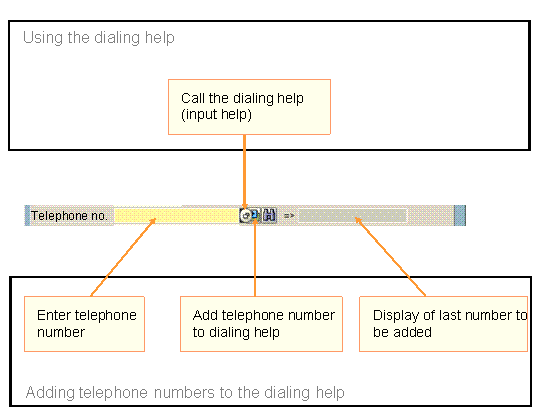
Adding telephone numbers to the dialing help
Specify a telephone number.
Choose
 .
.The number is displayed in the adjacent field.
Using the dialing help
Call the input help.
Select the required telephone number by double-clicking on it.
The graphic illustrates the procedure: