 Using the New Editors in Web Page Composer
The new editors allow you to create Web content, by dragging the necessary components to the required locations. You can also rearrange the elements by dragging them.
When creating Web content within a page, you use Web content templates. The standard SAP delivery contains the following Web content templates:
Article
Banner
Link List
Paragraph
RSS Link List
Teaser
 Caution
The new editors are compatible with the old editors. This means that you can use the new editors to edit the content that you created with the old ones. If necessary, you can also switch back to the old editors and use them to modify the content that you created with the new editors. However, if you have created your own custom components for the old editors, you cannot use the new editors to edit forms that contain these custom components.
The graphic below shows the main screen areas of the new editors.
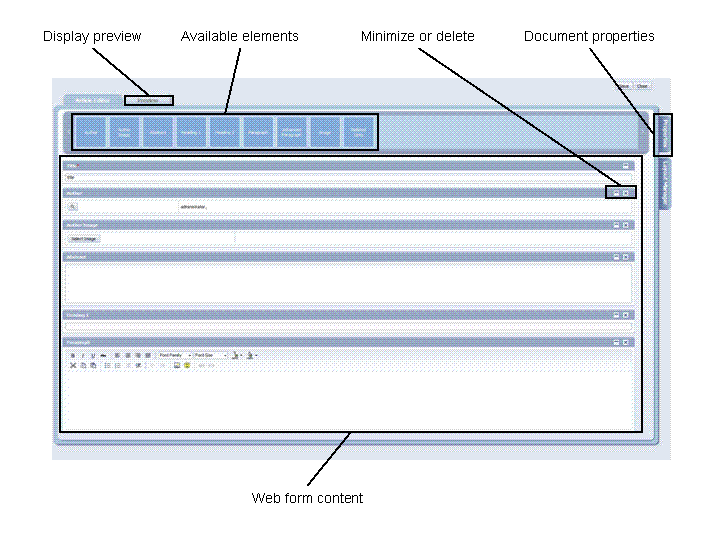
Web Content Editor
Prerequisites
WPC is configured to start the new editors when you want to edit web content. For more information, see Configuring the Web Page Composer Editors.
Procedure
Start the editor for one of the available templates.
Locate the required element at the top of the editor and drag it to the desired position.
 Note
NoteThe available elements are different for the different templates. Some of the templates do not have any additional elements that you can add.
End of the note.(Optional) Edit the properties of the file. For more information, see Configuring the Properties of a Web Content Item.
Save your changes and close the editor.